
You play games to relax, not to qualify for a tournament. An hour of Valorant with friends after college, a weekend of GTA V, a story game you have been meaning to finish for months, maybe some BGMI on PC through an emulator — that is casual gaming, and it deserves a mouse that is genuinely good without costing as much as your graphics card.
The best mouse for casual gamers in India is not the lightest esports mouse or the one with the highest DPI on the box. It is the mouse that tracks cleanly, clicks reliably, feels comfortable after two hours, works just as well for college assignments and office work the next morning, and does not break when your younger brother borrows it. This guide focuses on exactly that middle ground: real gaming mice, sold in India, at prices that make sense for students, young professionals and families.
We have deliberately left out the ₹15,000-plus esports flagships. If you ever decide you want one, you will already know why. For now, let us find the mouse that makes your evening games more fun and your daytime work easier, without emptying your wallet.
Table of Contents
- What Does a Casual Gamer Actually Need?
- Quick Comparison: Best Mice for Casual Gamers in India
- 1. Logitech G304 Lightspeed — Best Overall for Casual Gamers
- 2. Logitech G102 Lightsync — Best Wired Pick and Safest First Gaming Mouse
- 3. Zebronics Transformer-M — Best Budget Gaming Mouse
- 4. EvoFox Blaze Ultra — Best Feature-Packed Budget Pick
- 5. Cosmic Byte Raptor — Best Dual-Mode Mouse for Gaming and Work
- 6. Razer DeathAdder Essential — Best Ergonomic Budget Pick
- Wired vs Wireless for Casual Gaming: What Really Matters?
- DPI, Polling Rate and Weight — Explained in Plain Language
- Setting Up Your Mouse for Valorant, BGMI and Story Games
- How to Make a Budget Mouse Last Longer in India
- Video: Best Gaming Mouse Under ₹1,000 in India
- Frequently Asked Questions (FAQ)
- Conclusion: Which Mouse Should You Buy?

What Does a Casual Gamer Actually Need?
Casual gamers often get bad advice, usually in two opposite directions. One camp says you need a professional esports mouse or you will lose every match. The other says any ₹300 office mouse is fine for games. Both are wrong, and the truth is pleasantly boring: you need a reliable sensor, a comfortable shape, buttons that do not double-click after three months, and a weight you can move for an hour without wrist ache.
A reliable sensor beats a huge DPI number. Most casual players use somewhere between 800 and 1600 DPI, sometimes up to 2400 DPI on a large screen. A mouse that tracks cleanly at those settings, without spinning out when you flick quickly, will feel better than a mouse advertising a huge maximum DPI with a cheap sensor that jitters. Look for a named sensor family — Logitech’s HERO or Mercury sensors, for example — or for a budget mouse with consistently good user reviews about tracking, rather than a headline number alone.
Comfort matters more the longer you play. A casual session can easily stretch to two or three hours on a weekend. A mouse that is too small will cramp your hand; one that is too heavy will tire your wrist; one with sharp edges will annoy you long before the game ends. Palm grip players generally want a larger, taller shape, while claw and fingertip players want something lower and lighter. There is no universal best shape, only the shape that fits your hand and grip.
Extra buttons are useful, but only if you use them. Two side buttons for forward/back, or for reloading and crouching, are genuinely handy. Six or eight programmable buttons are great for MOBA or MMO games, but for most casual players they are optional. Do not pay extra for buttons you will never program.
One mouse for games and work is a smart buy in India. Most casual gamers do not have a separate work mouse and gaming mouse. A mouse that is comfortable for gaming and quiet enough for a classroom, library or office, with a sensor that is precise for documents and browsing too, gives you far more value than a loud, flashy mouse you can only use at night.
Quick Comparison: Best Mice for Casual Gamers in India
| Mouse | Best For | Approx. Price in India | Type | Why Casual Gamers Like It |
|---|---|---|---|---|
| Logitech G304 Lightspeed | Most casual gamers, overall | Around ₹2,500–₹2,900 | Wireless, 2.4 GHz | Trusted HERO sensor, up to 12,000 DPI, long battery life, 6 programmable buttons |
| Logitech G102 Lightsync | First gaming mouse, wired | Around ₹1,000–₹1,400 | Wired | Reliable Mercury sensor, RGB lighting, comfortable shape, great software |
| Zebronics Transformer-M | Tightest budgets | Around ₹500–₹900 | Wired | 6 buttons, DPI switch, RGB, widely available in India |
| EvoFox Blaze Ultra | Feature-packed budget pick | Around ₹600–₹800 | Wired | 8 programmable buttons, wide DPI range, good value |
| Cosmic Byte Raptor | Gaming + work flexibility | Around ₹900–₹1,300 | Wired + wireless | Dual-mode use, comfortable shape, good for mixed use |
| Razer DeathAdder Essential | Ergonomic comfort | Around ₹1,800–₹2,200 | Wired | Classic comfortable shape, reliable sensor, 5 programmable buttons |
Prices may change, so please check the current price before buying. Festival sales and bank offers in India can bring these prices down noticeably.
1. Logitech G304 Lightspeed — Best Overall for Casual Gamers
If you want one recommendation and you can stretch to around ₹2,500 to ₹2,900, buy the Logitech G304 Lightspeed. It is the best mouse for casual gamers in India for most people because it removes almost every common budget-mouse frustration in one product: the sensor is Logitech’s HERO sensor with sensitivity up to 12,000 DPI, the wireless connection uses Logitech’s Lightspeed technology for a fast, stable 2.4 GHz link, and a single AA battery lasts up to 250 hours of use according to Logitech — in practice, that means months of casual play and work before you think about batteries.
The shape is compact and symmetrical-ish, which suits small to medium hands and claw or fingertip grips particularly well. It has six programmable buttons, on-board memory so your settings travel with the mouse, and Logitech G Hub software for remapping buttons and adjusting sensitivity. The shape will not suit everyone — players with very large hands who palm-grip may find it small — but for the majority of casual gamers, especially students and young professionals, it is the safest premium-feeling buy without going into esports pricing.
Just as important in India, the G304 is easy to find, easy to get serviced, and has a huge community of users, so finding sensitivity settings, button layouts and troubleshooting help for Valorant, CS2 or BGMI on PC is easy. It also doubles as an excellent work mouse: quiet enough for a shared room, precise enough for documents, and wireless enough to keep your desk tidy. Buy it from an authorised seller and keep the bill, because counterfeit gaming mice are a real problem in budget marketplaces.
2. Logitech G102 Lightsync — Best Wired Pick and Safest First Gaming Mouse
If you prefer wired, or your budget stops around ₹1,000 to ₹1,400, the Logitech G102 Lightsync is the classic first gaming mouse in India — and it remains a superb choice for casual gamers. It uses Logitech’s Mercury sensor, which reviewers consistently praise for clean, professional-grade tracking at this price, and it offers RGB lighting that can be customised or switched off entirely if you prefer a quiet desk.
The wired connection means you never worry about batteries, charging or wireless interference, which some players prefer for competitive shooters. The cable is light and flexible enough not to drag, and the shape is a comfortable, medium-sized design that suits most grips. With six buttons and G Hub software, you get real customisation — DPI steps, button remapping and lighting profiles — that budget no-name mice simply cannot match.
The G102 is also the mouse we recommend most often to parents buying a first gaming mouse for a teenager: it is affordable, it is from a trusted brand, it works for schoolwork as well as games, and it will not need replacing in six months. If you are choosing between a flashy unknown mouse and the G102, choose the G102 almost every time.
3. Zebronics Transformer-M — Best Budget Gaming Mouse
Zebronics is an Indian brand that casual gamers know well, and the Transformer-M is its most popular budget gaming mouse for a reason. Usually priced around ₹500 to ₹900 in India, it gives you six buttons, a DPI switch for quickly changing sensitivity, multi-colour LED lighting, and a compact ergonomic body that suits students and everyday gamers.
Be honest about what you are buying. The sensor is not in the same league as Logitech’s HERO or Mercury sensors, and the build quality, while good for the price, will not feel premium. But for casual play — story games, racing games, older shooters, Minecraft, GTA V at relaxed settings — it is more than enough, and it is far better than a basic office mouse for gaming. It is also widely available in local computer shops across India, which means you can often see it, hold it and buy it the same day, with local support if something goes wrong.
If your budget is under ₹1,000 and you want gaming looks and gaming features today, the Transformer-M is the value sweet spot. If you can stretch a little further, the G102 is a meaningful step up in sensor quality and software.
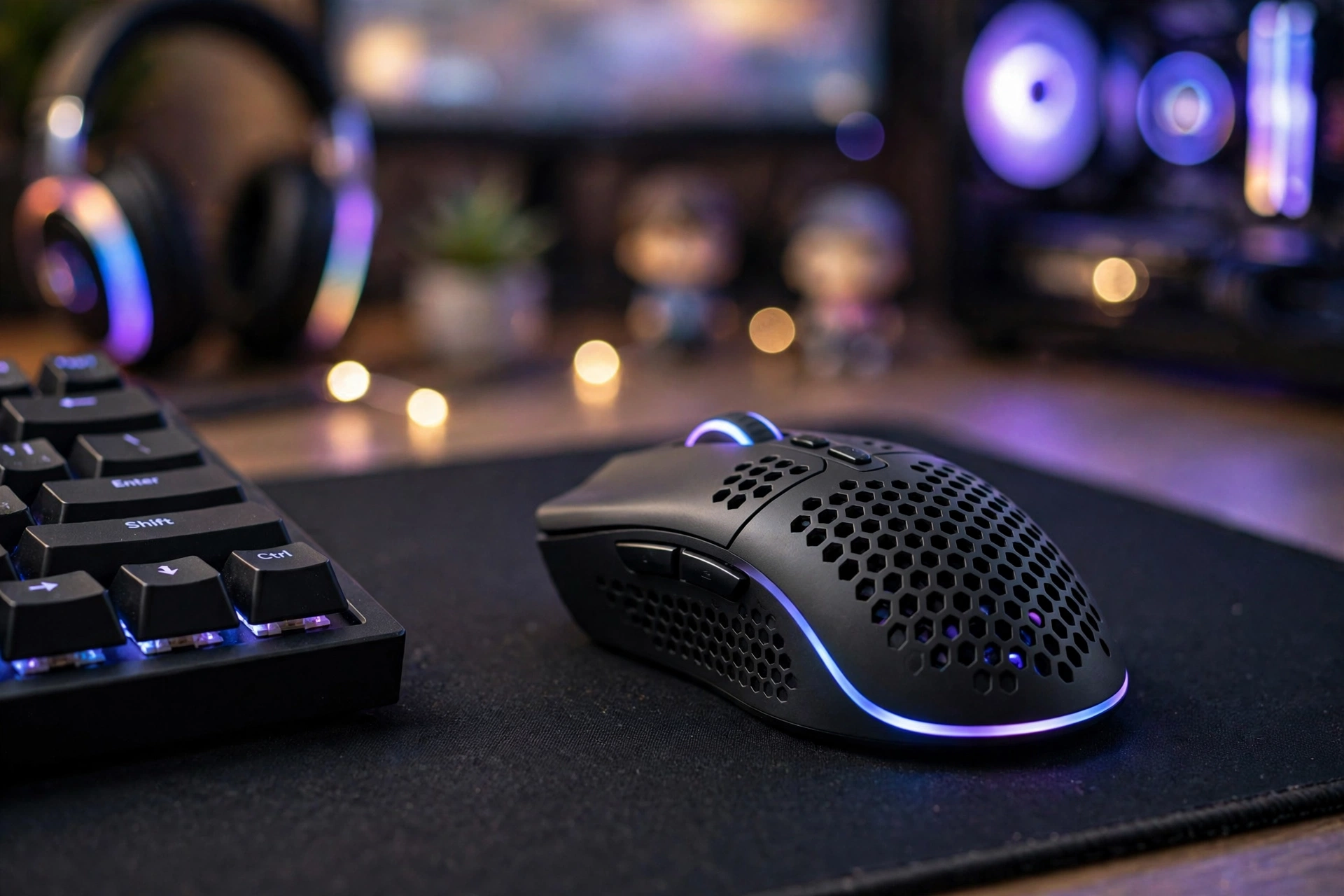
4. EvoFox Blaze Ultra — Best Feature-Packed Budget Pick
EvoFox has quietly become one of the strongest budget gaming brands in India, and the Blaze Ultra shows why. At around ₹600 to ₹800, it packs eight programmable buttons, a wide DPI range and a 1000 Hz polling rate — specifications that used to belong to mice costing three times as much. For players who love extra buttons for shooters, action games or MOBAs, and who want a wired mouse with a modern, lightweight feel, it is a very tempting package.
The honest caveat is brand support. EvoFox support in India is budget-brand level rather than premium-brand level, so warranty claims may take longer and require courier shipping rather than a quick store replacement. Check recent user reviews for the exact listing you plan to buy, because budget brands sometimes revise a model without changing the name. If the reviews for that listing are consistently good, the Blaze Ultra offers remarkable value. If they are mixed, the safer picks in this guide — the G102 or the Transformer-M — are better bets.
5. Cosmic Byte Raptor — Best Dual-Mode Mouse for Gaming and Work
The Cosmic Byte Raptor solves a different problem: you want one mouse for everything. It offers both wired and wireless use, so you can play wired for the lowest latency, then switch to wireless for work, browsing or a tidy desk. That flexibility is a real plus for students in hostels and for professionals who carry one mouse between home and office.
Its sensor is a PixArt sensor with sensitivity up to around 4800 DPI in many listings, which is plenty for casual gaming, and its polling rate is lower than the 1000 Hz rivals in this guide — a trade-off to know about, but not one most casual players will notice in story games, racing games or relaxed shooters. The PTFE feet help it glide smoothly on the cloth mousepads most Indian gamers use, and the shape is comfortable for medium hands.
Choose the Raptor if flexibility matters more to you than having the absolute sharpest sensor. Choose the G304 if you want wireless gaming with a stronger sensor and do not need a wired mode.
6. Razer DeathAdder Essential — Best Ergonomic Budget Pick
The DeathAdder shape is legendary in gaming for a reason: it is a tall, right-handed ergonomic shape that fills the palm comfortably during long sessions. The Essential version, usually around ₹1,800 to ₹2,200 in India, brings that shape to a budget price, with a reliable optical sensor, five programmable buttons and Razer’s Synapse software for customisation.
It is wired, which some casual players prefer, and it is larger than the G102 or G304, so it suits palm-grip players and medium to large hands particularly well. If you have tried smaller gaming mice and found them cramped, or if you play long story-driven sessions where comfort matters more than lightness, the DeathAdder Essential is worth shortlisting. Razer’s service network in India is smaller than Logitech’s, so buy from an authorised seller and keep your bill safe.
For work-focused needs, by the way, a gaming mouse is not always the best tool. If your main use is typing and spreadsheets, our guides to the best mouse for writers in India, the best mouse for accountants in India and the best mouse for data entry in India will point you to quieter, more office-friendly shapes.
Wired vs Wireless for Casual Gaming: What Really Matters?
For casual gaming, the wired-versus-wireless debate is far less dramatic than gaming forums suggest. A good modern wireless mouse on 2.4 GHz, like the Logitech G304, has latency so low that casual players cannot feel a difference from wired. The real differences are practical, not competitive.
- Wired pros: No batteries, no charging, no wireless interference, usually cheaper for the same sensor.
- Wired cons: Cable drag (though modern light cables minimise this), less tidy desk, less portable.
- Wireless pros: Clean desk, easy to carry, no cable catching on your mousepad edge.
- Wireless cons: Needs batteries or charging, can suffer interference in crowded Wi-Fi hostels (rare with 2.4 GHz gaming receivers), usually costs a little more.
Avoid Bluetooth-only mice for gaming if you can. Bluetooth adds noticeable latency compared with a dedicated 2.4 GHz receiver, and casual shooters will feel that delay even if story games will not. Dual-mode mice that offer both Bluetooth and 2.4 GHz — like the Cosmic Byte Raptor’s dual-mode approach — give you the best of both: 2.4 GHz for games, Bluetooth for work devices.
DPI, Polling Rate and Weight — Explained in Plain Language
DPI (dots per inch) is how far your cursor moves on screen for a given physical movement. Higher DPI means the cursor moves further for the same hand movement. Most casual gamers are comfortable at 800 to 1600 DPI, with 2400 DPI useful on large or high-resolution screens. You do not need 12,000 DPI to play well; you need a sensor that tracks accurately at the DPI you actually use.
Polling rate (Hz) is how often the mouse reports its position to the computer each second. A 1000 Hz mouse reports 1000 times per second, which feels smoother than 125 Hz or 250 Hz. For casual gaming, 1000 Hz is nice to have but not essential; 500 Hz is perfectly fine for story games and relaxed shooters.
Weight affects fatigue and flick speed. Esports players love ultra-light mice under 60 grams, but casual players often prefer 70 to 90 grams because the mouse feels more stable and less twitchy. The G304 at around 99 grams with battery is a good middle ground; the G102 at around 85 grams is lighter and very comfortable for long sessions.

Setting Up Your Mouse for Valorant, BGMI and Story Games
Your mouse is only half the setup. Spend ten minutes on these settings and your games will feel noticeably better, whatever mouse you bought.
Start with sensitivity, not DPI alone. In Valorant, most casual players do well with 800 DPI and an in-game sensitivity of 0.35 to 0.5, or 1600 DPI and 0.18 to 0.25. The key is consistency: pick one combination and stick with it for a few weeks rather than changing it daily. For BGMI on PC through an emulator, use a similar low-to-medium sensitivity so your aim does not jump around, and map your side buttons to crouch or reload if the emulator supports it.
Turn off mouse acceleration in Windows. Search for Mouse Settings, open Additional Mouse Options, and uncheck Enhance Pointer Precision. Acceleration makes your cursor travel different distances for the same hand movement depending on speed, which destroys muscle memory in shooters. Gamers call this raw input, and it is the single most important Windows setting for gaming.
Use a real mousepad, even a cheap one. A ₹300 to ₹500 cloth mousepad improves tracking, protects your desk and gives your mouse a consistent surface. Large pads (around 800 mm by 300 mm) are popular with casual gamers because they give you room for low-sensitivity aiming without running off the edge.
Program your buttons once, then forget them. In G Hub, Synapse or the budget brand’s software, set your side buttons to something useful — reload, crouch, melee or push-to-talk — and your DPI button to cycle between a work DPI (around 1000) and a gaming DPI (around 800 to 1600). You do not need complex macros for casual play; two useful buttons beat eight unused ones.
How to Make a Budget Mouse Last Longer in India
- Keep dust out. Indian dust is the enemy of budget mouse switches and scroll wheels. Wipe the mouse weekly, blow out the scroll wheel area gently, and keep it covered or in a drawer when not in use.
- Do not slam-click. Aggressive clicking wears out budget switches faster. A firm but normal click is enough; if you find yourself hammering the button in frustration, take a break instead.
- Protect the cable. For wired mice, avoid sharp bends at the mouse end and do not wrap the cable tightly around the mouse for travel. A cable that breaks internally is the most common budget-mouse failure.
- Use a surge protector. Power fluctuations can damage USB devices over time. A basic surge-protected extension board for your PC setup is cheap insurance in India.
- Keep the bill and box. Warranty claims for gaming mice in India almost always require the original bill and, ideally, the box. Keep both for at least the warranty period.
Video: Best Gaming Mouse Under ₹1,000 in India
Watch this video for a quick visual comparison of budget gaming mice in India:
Frequently Asked Questions (FAQ)
What is the best mouse for casual gamers in India under ₹3,000?
The Logitech G304 Lightspeed, usually around ₹2,500 to ₹2,900, is the best overall choice under ₹3,000 for casual gamers in India. It combines a trusted HERO sensor, reliable wireless performance and long battery life.
Is the Logitech G102 good for Valorant?
Yes. The G102’s Mercury sensor tracks cleanly for Valorant at casual and intermediate levels, and its wired connection removes battery and wireless worries. Pair it with a sensible sensitivity and raw input in Valorant’s settings for the best results.
Do I need a wireless mouse for casual gaming?
No. Wireless is convenient and modern 2.4 GHz gaming mice perform excellently, but a wired mouse is cheaper, simpler and just as good for most casual games. Choose wireless if you value a tidy desk and portability; choose wired if you value price and simplicity.
Is a gaming mouse good for office work and study?
Yes, with a caveat. Most mice in this guide work excellently for documents, browsing and study, and their extra buttons can help with productivity. If you work in a very quiet office or library, however, a gaming mouse’s clicks may be louder than a dedicated silent office mouse, so consider that trade-off.
What DPI should casual gamers use?
Most casual gamers are comfortable at 800 to 1600 DPI. Start at 800 DPI with a medium in-game sensitivity, then adjust up or down until aiming feels natural. Consistency matters more than the number itself.
Are budget gaming mice from Zebronics, EvoFox and Cosmic Byte reliable?
For casual use, yes — provided you buy from a reputable listing with good recent reviews and keep your bill for warranty. Budget brands offer excellent value, but their quality control and service can be less consistent than Logitech or Razer, so check reviews for the exact model and seller before buying.
Should I buy a gaming mouse from Amazon India or a local shop?
Both work well. Amazon India offers a wide choice, reviews and easy returns, while a local computer shop lets you hold the mouse before buying and often provides quicker local help. Whichever you choose, buy from an authorised or well-rated seller to avoid counterfeits, which are common with popular models like the G102 and G304.
Conclusion: Which Mouse Should You Buy?
The best mouse for casual gamers in India depends on your budget and how you play, but the shortlist is simple:
- Best overall: Logitech G304 Lightspeed — wireless, reliable, long-lasting, great for games and work.
- Best wired and best first gaming mouse: Logitech G102 Lightsync — affordable, trusted sensor, excellent software.
- Best under ₹1,000: Zebronics Transformer-M — solid budget gaming features at the lowest price.
- Best feature-packed budget pick: EvoFox Blaze Ultra — eight buttons and a high polling rate for very little money.
- Best flexible dual-mode pick: Cosmic Byte Raptor — wired and wireless in one mouse.
- Best ergonomic pick: Razer DeathAdder Essential — the classic comfortable shape at a budget price.
Whichever you choose, remember the basics: a reliable sensor, a shape that fits your hand, a sensible sensitivity you stick with, and a real mousepad. Get those right and even a ₹1,000 mouse will feel better than a ₹5,000 mouse set up badly. And if you play mostly on a laptop, you may also like our guide to the best mouse for laptops in India, and if you want a quieter option for shared rooms, see the best silent mouse in India.
Now it is your turn: pick the mouse that fits your hand and your budget, set it up properly, and enjoy your games. Prices change often in India, so check the current price, buy from a trusted seller, and keep your bill safe.
Price disclaimer: Prices in this article are approximate and may change over time. Please check the latest price on Amazon India or your preferred retailer before making a purchase.
Sources and further reading
https://www.digit.in/features/gaming/best-fps-gaming-mice-for-every-budget-2.html, https://www.smartprix.com/nf/pd/pd1qv4sw502, https://www.amazon.in/dp/B0916VGQFC/ref=mp_s_a_1_15