
Writers rarely think about their mouse — until it starts hurting. A novelist revising a manuscript, a journalist filing three stories a day, a blogger formatting posts or a student finishing a thesis all do the same thing for hours: small, repeated hand movements across a document, punctuated by scrolling through pages of text. The best mouse for writers in India is quiet enough for a library or a sleeping household, comfortable enough for a full writing day, and simple enough that it never interrupts a sentence halfway through.
This guide compares five real mice available in India, from a budget silent mouse under ₹1,000 to a premium productivity mouse for professional authors. Prices are approximate and change with sales and stock, so check the current listing price before ordering.
Table of Contents
- What Writers Actually Need in a Mouse
- Top Picks at a Glance
- 1. Logitech MX Vertical — Best for Long Writing Days
- 2. Logitech Lift — Best Vertical Mouse for Smaller Hands
- 3. Logitech Signature M650 — Best Overall Value
- 4. Logitech MX Master 3S — Best Premium Pick
- 5. Logitech M331 Silent Plus — Best Budget Pick
- Buying Guide: How to Choose
- Video: Best Vertical Mice Under $50
- Frequently Asked Questions
- Conclusion

What Writers Actually Need in a Mouse
Writing is not mouse-heavy in the way design or gaming is, but it is mouse-long: you may only click a few hundred times an hour, yet you hold the mouse for eight hours straight. That changes the priorities completely. Shape and weight matter more than buttons or DPI. A mouse that fills your palm and lets your fingers rest will keep you comfortable through a full draft, while a tiny travel mouse will cramp your hand by afternoon.
Quiet clicks matter too. Writers work in libraries, shared flats, late at night while family sleeps, and on research calls — loud clicking is distracting for everyone, including the writer. A smooth scroll wheel matters for the same reason: revising a manuscript means scrolling through pages constantly, and a wheel that jumps or sticks breaks concentration. Battery life is the final quiet priority: a mouse that dies mid-chapter is an interruption you do not need, so long battery life or easy USB-C charging is worth paying for.
What writers do not need is gaming performance. Ignore DPI numbers above 4,000, ignore polling rates, and ignore RGB lighting. Spend the money on ergonomics and silence instead.
Top Picks at a Glance
| Mouse | Best For | Approx. Price in India* | Connection |
|---|---|---|---|
| Logitech MX Vertical | Long days, wrist comfort | ~₹4,300–₹5,000 | Bluetooth + receiver, rechargeable |
| Logitech Lift | Smaller hands, vertical grip | ~₹5,800 | Bluetooth + receiver |
| Logitech Signature M650 | Best overall value | ~₹2,500 | Bluetooth + Logi Bolt receiver |
| Logitech MX Master 3S | Premium, research-heavy writers | ~₹8,000–₹9,000 | Bluetooth + receiver, USB-C rechargeable |
| Logitech M331 Silent Plus | Budget / students | ~₹700–₹1,000 | 2.4GHz USB receiver |
*Prices are approximate, based on Indian retail listings seen in late 2026, and change frequently. Verify the current price on the listing before buying.
1. Logitech MX Vertical — Best for Long Writing Days
For writers who spend the whole day at a desk, the MX Vertical is the most meaningful comfort upgrade on this list. Its 57-degree handshake grip keeps your forearm in a natural position instead of twisted flat, which reduces the strain that builds up over thousands of small movements. It tracks at up to 4,000 DPI — far more than writing needs — connects over Bluetooth or its receiver, and its rechargeable battery lasts around four months per charge.
It is a large mouse, so it suits medium to large hands best, and it takes a few days to feel natural if you have only ever used flat mice. Give it a full week before judging it: most writers who persist report that going back to a flat mouse feels wrong afterwards. If pain, numbness or tingling persists, see a doctor — a mouse reduces strain, it does not treat a medical condition.
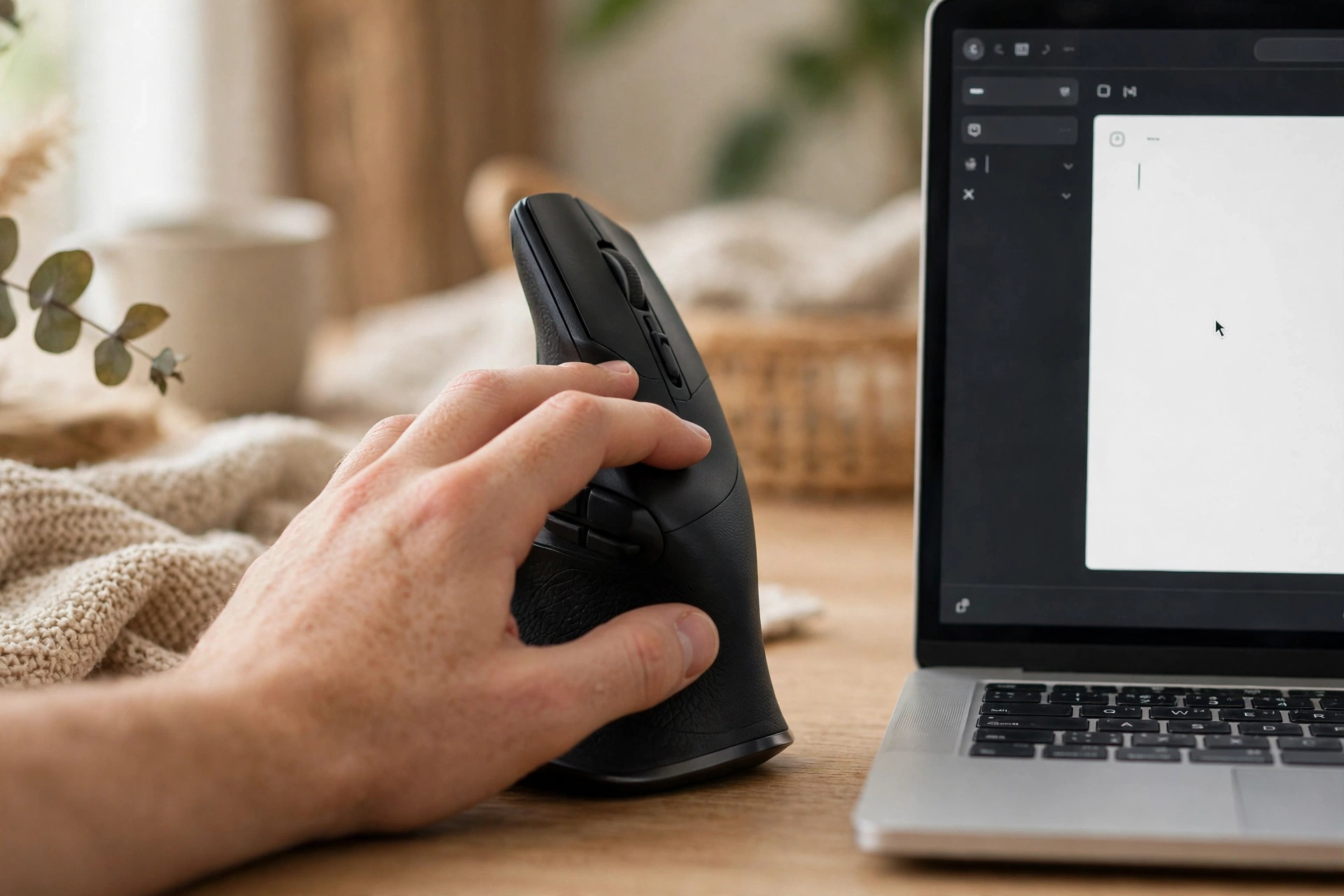
2. Logitech Lift — Best Vertical Mouse for Smaller Hands
The Lift brings the same 57-degree handshake angle as the MX Vertical in a smaller body made for small to medium hands, and it is one of the few vertical mice available in a left-handed version. For women writers, students and anyone with smaller hands who found the MX Vertical bulky, this is the better fit. It connects over Bluetooth or the Logi Bolt receiver and runs for up to two years on a single AAA battery.
At roughly ₹5,800 it costs more than a standard mouse, but for a writer, the mouse is a daily tool in the same way a good chair is. If your wrist aches by evening, the Lift is one of the cheapest genuine fixes available.
3. Logitech Signature M650 — Best Overall Value
If a vertical mouse feels like too big a change, the Signature M650 is the best conventional mouse for writers. Its contoured shape with soft thumb area and rubber side grips suits long sessions, its SilentTouch clicks are about 90 percent quieter than a standard mouse — ideal for libraries, shared rooms and late-night writing — and its SmartWheel switches between precise line-by-line scrolling for careful editing and fast scrolling for moving through a long manuscript.
A single AA battery lasts up to 24 months according to Logitech, and it connects over Bluetooth or the included Logi Bolt receiver, so it works with old and new machines alike. It comes in medium and large sizes: measure your hand from wrist to middle fingertip and choose large if you are over 19 cm. At around ₹2,500, this is the value sweet spot for most writers.
4. Logitech MX Master 3S — Best Premium Pick
Research-heavy writers — journalists juggling dozens of browser tabs, academics switching between PDFs and a manuscript, bloggers managing a site — will appreciate the MX Master 3S. Its MagSpeed scroll wheel flies through long documents, its thumb wheel scrolls horizontally across wide pages and spreadsheets, and its programmable buttons can hold copy, paste, undo and app-switching commands. The sculpted shape supports the whole palm, clicks are quiet, and it connects to up to three devices.
At roughly ₹8,000–₹9,000 it is a luxury for pure writing, and a writer who only uses Word does not need it. But if your writing day involves constant research, tab-switching and document management, the time it saves adds up quickly.

5. Logitech M331 Silent Plus — Best Budget Pick
For students, new bloggers and writers on a tight budget, the M331 Silent Plus delivers the two things that matter most — quiet clicks and reliable wireless — for roughly ₹700–₹1,000. It is compact and ambidextrous, connects through a simple USB receiver with no software, and works with any Windows PC or laptop.
Its small size is the compromise: on very long writing days, a larger mouse will be kinder to your hand. But as a first mouse, a backup, or a travel mouse for writing on the move, it is excellent value. Pair it with a proper mouse pad and take a short break every hour, and it will carry you through a thesis or a first novel draft without complaint.
Buying Guide: How to Choose
Start with your hand size: under 17.5 cm from wrist to middle fingertip is small, 17.5–19 cm is medium, over 19 cm is large. A mouse that matches your hand lets your fingers rest naturally instead of gripping. Then consider where you write: libraries and shared rooms demand silent clicks; a fixed home desk rewards a vertical ergonomic shape; a laptop lifestyle rewards Bluetooth plus a receiver for flexibility.
Check connectivity before ordering — if your computer has no Bluetooth, you need a model with a USB receiver, and some Bluetooth-only editions of premium mice skip the receiver, so read the box contents. Buy genuine from a reputable Indian retailer and keep the invoice for warranty claims. Finally, remember that the mouse is only part of the setup: a chair at the right height, a screen at eye level and a break every hour will protect your hands more than any single purchase. For related reading, see our best silent mouse for office, best ergonomic mouse under ₹2,000 and DPI and polling rate explained guides.
Video: Best Vertical Mice Under $50
If wrist comfort is your main concern, this video breaks down five budget vertical mice and explains how the handshake grip helps writers and desk workers who spend all day at a computer:
Frequently Asked Questions
Which mouse is best for writers in India?
For most writers, the Logitech Signature M650 at around ₹2,500 is the best balance of comfort, silence and price. Writers with wrist pain should consider the MX Vertical or Lift instead.
Do writers need an ergonomic mouse?
If you write for several hours a day, yes — comfort becomes the difference between finishing a chapter and stopping early with a sore hand. An ergonomic or vertical mouse reduces forearm strain over long sessions.
Are silent mice important for writers?
Very. Writers often work in quiet spaces or at night, and silent-click mice like the M650 and M331 cut click noise by about 90 percent, keeping both you and everyone around you undisturbed.
Is a vertical mouse hard to get used to?
It feels unusual for the first few days, but most users adjust within a week. If you write full-time, give it at least five working days before deciding — and choose the Lift if your hands are small.
Should writers buy a wireless mouse?
Yes. Wireless mice keep the desk tidy and modern ones have no lag that affects writing. Just make sure your model includes a USB receiver if your computer lacks Bluetooth.
How much should a writer spend on a mouse in India?
₹700–₹1,000 covers a good budget mouse, ₹2,500 buys an excellent everyday mouse, and ₹4,300–₹5,800 buys a vertical ergonomic mouse. For a tool you hold all day, the middle of that range is usually the best investment.
Conclusion
The best mouse for writers in India is the one that never interrupts a good sentence. For most writers that is the Logitech Signature M650: quiet, comfortable and fairly priced. If your wrist already aches, the MX Vertical or Lift is the smarter choice. If your work is research-heavy, the MX Master 3S earns its premium price. And if money is tight, the M331 Silent Plus covers the essentials beautifully. Measure your hand, confirm your connectivity, buy genuine, and then forget about the mouse entirely — that is exactly the point.
Sources and further reading: Logitech Signature M650 product support and HP’s guide to ergonomic vertical mice.