Introduction: Why Indian Conditions Are Brutal on Mice
A computer mouse that lasts five years in a climate-controlled European office can start misbehaving within a year on an Indian desk — and it is rarely the mouse’s fault. Fine dust settles into every crevice within days. Summer heat and humidity turn palms sweaty, and that sweat migrates into scroll wheels and side grips. Monsoon dampness encourages corrosion on exposed metal parts. Construction dust from the ever-present building site nearby is basically fine sandpaper for your scroll wheel encoder.
The symptoms are familiar to every Indian PC user: a scroll wheel that jumps or scrolls the wrong way, clicks that feel mushy or double-click on their own, a sensor that stutters on the mousepad, side grips gone shiny and slippery. Most of these are maintenance problems, not death sentences. A ₹1,500 mouse cleaned properly every month will outlast a ₹5,000 mouse that is never cleaned.
This guide covers safe cleaning step by step — what to use, what to never use, how to handle the sensor and scroll wheel, and a maintenance routine tuned for Indian dust, heat, and humidity. No disassembly required and no warranty voided.
What You Need (Most of It Is Already at Home)
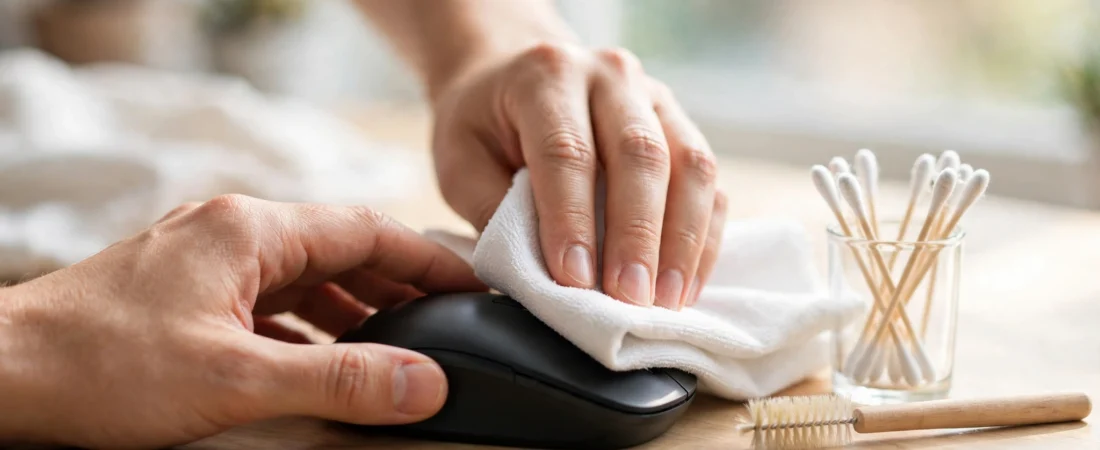
- Microfibre cloth — the single most important tool. Picks up dust and skin oils without scratching or leaving lint. Keep one on your desk permanently.
- Cotton buds (earbuds) — for scroll wheels, button seams, and the sensor cavity. Buy a pack; you will use them weekly.
- Isopropyl alcohol (rubbing alcohol), 70% or less — cuts through grease and evaporates quickly. Available at any chemist in India for under ₹100.
- Soft brush or old soft toothbrush — loosens dust from textured grips and seams before wiping.
- Compressed air can or a manual air blower — blows dust out of crevices. A manual rocket blower (used by photographers, ~₹300 on Amazon.in) works fine and never runs out.
- Wooden toothpick — for gunk packed into scroll-wheel grooves. Wood will not scratch plastic.
What to never use
- Water directly on the mouse — a barely-damp cloth is fine; dripping water near seams is not.
- Acetone, nail polish remover, bleach, or strong household cleaners — these dissolve rubber grips, cloud plastic, and destroy matte coatings.
- High-concentration alcohol (90%+) — lab-grade isopropyl can strip rubber grips and plastic coatings. Stick to 70% or dilute it.
- Paper towels or tissues — they leave lint and can micro-scratch glossy surfaces.
- Spraying cleaner directly onto the mouse — always apply to the cloth first. Liquid finds its way into switches and sensors.
Step-by-Step: The Monthly Deep Clean (15 Minutes)
Step 1: Power down and disconnect
Unplug a wired mouse. For a wireless mouse, switch it off and remove the batteries (or the AA/AAA cells). Cleaning a powered mouse risks phantom clicks and, worse, shorting something if liquid gets inside. Remove any detachable weights or battery covers too.
Step 2: Dry dusting first
Before any liquid touches the mouse, remove loose dust — wiping dust with a damp cloth just makes mud. Use the soft brush around button seams, the scroll wheel gap, and side grips, then short bursts of the air blower to push dust out of crevices. Tilt the mouse so debris falls away rather than deeper inside.
Step 3: Wipe the shell
Dampen a corner of the microfibre cloth with 70% isopropyl alcohol — damp, not wet; wring it thoroughly. Wipe the top shell, sides, and palm area with firm, even strokes, focusing on high-contact zones where skin oils build up: the left/right click surfaces, the thumb rest, and side grips. For textured rubber grips, brush first, then wipe. Work quickly and do not let alcohol pool in seams.
Step 4: Clean the button seams
Run a dry cotton bud along the gaps around the left/right buttons, side buttons, and DPI buttons, pressing each button gently so the bud reaches slightly into the moving gap. This is where grime compacts and makes clicks feel mushy. If dirt persists, barely dampen the bud with alcohol, clean again, then follow with a dry bud. Never pour or drip liquid near switches — it can wick inside and change the click feel days later.
Step 5: Deep-clean the scroll wheel
The scroll wheel is the dirtiest part of any mouse and the most common failure point in India. Turn the mouse over, rotate the wheel slowly, and run a dry cotton bud along both sides of the wheel and into the gap. For packed-in gunk in the wheel grooves, gently work a wooden toothpick along the grooves — lift dirt out, do not push it in. Follow with a lightly alcohol-dampened bud while rotating the wheel, then a dry bud. A clean wheel should spin smoothly and quietly; if scrolling still jumps after cleaning, the encoder itself may be worn (see the troubleshooting section).
Step 6: Clean the sensor
Flip the mouse over and find the small sensor lens — the little dark window, sometimes with a faint red glow on older models. Blow away loose dust with the air blower first. Then wipe the lens once, gently, with a dry cotton bud using almost no pressure. If there is a visible smudge, use a barely-damp (alcohol) bud with one light pass, then a dry bud. Never scrub the lens and never poke anything into the sensor cavity — a scratched lens means a new mouse.
Step 7: Clean the feet and the mousepad
Wipe the PTFE glide feet (the smooth pads underneath) with the damp cloth — grit stuck to the feet scratches and drags. Then clean the mousepad itself: most cloth pads can be hand-washed with mild soap and air-dried completely. A dirty pad re-dirties a clean mouse within days, so do both together.
Step 8: Dry completely and test
Let the mouse air-dry for at least 10 minutes — longer in monsoon humidity. Reinsert batteries or plug in, and test every button, the wheel in both directions, and tracking in slow circles. If anything still misbehaves, repeat the relevant step once before concluding it is a hardware fault.
The 2-Minute Weekly Routine
The monthly deep clean handles buildup; a tiny weekly habit prevents it. Keep a microfibre cloth and a few cotton buds on your desk and, once a week: wipe the shell and grips with the dry cloth (30 seconds), run a dry bud around the scroll wheel while rotating it (45 seconds), and blow dust out of the button seams (30 seconds). That is it. This two-minute habit does more for mouse longevity in India than any other single thing.
Indian Climate Challenges and How to Beat Them
Dust: the number-one killer
Indian indoor dust is fine, constant, and mildly abrasive. Beyond the weekly routine, three things help: keep the mouse on a mousepad (it traps dust that would otherwise grind under the feet), do not eat at the desk (crumbs are scroll-wheel killers), and consider a cheap keyboard-and-mouse dust cover (~₹200–₹400 on Amazon.in) if your desk sits near an open window or a construction site.
Summer sweat and humidity
At 40°C+, sweaty palms deposit salt and oils that make grips slippery and eventually degrade rubber coatings. Wipe the grips with the dry microfibre cloth after long sessions in summer — ten seconds, big difference. Mice with textured rubber side grips (rather than smooth glossy plastic) handle sweat far better; if you are buying new and run hot, prioritise grip texture. In coastal cities, wipe metal parts (scroll wheels, weight trays) occasionally to prevent surface corrosion.
Monsoon dampness
Do not store a mouse in a damp drawer or a closed bag with moisture inside — corrosion on the USB receiver contacts and battery terminals is a real monsoon problem. If the receiver starts disconnecting, clean its metal contacts with a dry bud. Silica gel packets in your laptop bag cost almost nothing and protect all your gear, not just the mouse.
Power fluctuations
Less about cleaning, more about longevity: plug your PC through a surge protector or UPS. Voltage spikes during Indian summers kill more peripherals than dust does, and a wired mouse connected during a spike is directly in the path.
Troubleshooting Common Problems
Scroll wheel jumps or scrolls the wrong direction
Almost always dirt in the encoder or wheel mechanism — do the Step 5 deep clean first. If it persists after two thorough cleans, the mechanical encoder is worn. On mice with optical scroll encoders (many newer Logitech and Razer models) this rarely happens; on budget mice with mechanical encoders, it is eventually terminal. This is the most common “my mouse died” complaint in India, and it is usually just dust.
Double-clicking on single click
Can be dirt under the switch plunger (clean the button seams aggressively) or a worn microswitch — the classic Omron double-click issue. If cleaning does not fix it within a week, the switch is dying; on premium mice a service centre can sometimes replace it, on budget mice it is replacement time.
Sensor stutters or stops tracking
Clean the lens (Step 6) and the mousepad surface. Also try a different surface — some sensors hate glossy or highly patterned pads. If stuttering follows the mouse across surfaces, the sensor or its ribbon cable is failing.
Side grips gone shiny and slippery
That shine is compacted skin oil, and it is removable: brush the grips with the soft toothbrush, then wipe firmly with the alcohol-dampened cloth, repeating two or three times. If the rubber coating itself has worn through to smooth plastic underneath, no cleaning restores it — grip tape (sold for gaming mice, ~₹300 on Amazon.in) is a cheap fix.
Wireless mouse disconnecting randomly
Clean the receiver’s metal contacts, try a different USB port (front-panel ports are noisier electrically), and move the receiver closer with an extender if the PC sits under the desk. In hostels with dozens of Wi-Fi networks, 2.4GHz congestion is real — a short USB extender that brings the dongle onto the desk often fixes it.
Maintenance Schedule: The Cheat Sheet
| Frequency | Task | Time |
|---|---|---|
| Weekly | Dry wipe shell + scroll wheel bud + seam blow-out | 2 min |
| Monthly | Full deep clean (all 8 steps) + mousepad wash | 15 min |
| Quarterly | Check glide feet wear; clean receiver contacts; inspect cable for fraying | 10 min |
| Summer start | Extra grip attention; check for sweat damage on rubber coatings | 5 min |
| Monsoon start | Silica gel in storage; check battery terminals for corrosion | 5 min |
When Cleaning Is Not Enough: Repair or Replace?
Clean first, always — most “dead” mice in India are just dirty. But know the limits: a worn scroll encoder, a double-clicking switch, or a failing sensor are hardware faults. For premium mice (Logitech MX/G series, Razer) within warranty, use the brand’s India service — Logitech’s network in particular is excellent. Out of warranty, local repair shops in most Indian cities will swap switches for ₹200–₹500, which can extend a beloved mouse’s life by years. For budget mice under ₹1,000, repair rarely makes economic sense; replace, and this time keep it clean from day one.
Frequently Asked Questions
How often should I clean my mouse in India?
Do the 2-minute weekly wipe and a 15-minute deep clean monthly. In very dusty environments (near construction, open windows), increase the weekly wipe to twice a week. The scroll wheel deserves attention every single week — it is the first thing dust kills.
Can I wash my mouse with water?
No. Never submerge a mouse or run it under a tap, even a “waterproof” one — internal switches and encoders are not sealed the way the marketing implies. A barely-damp microfibre cloth is the wettest anything should get.
Is rubbing alcohol safe for my mouse?
70% (or lower) isopropyl alcohol on a cloth is safe for most mice and is the best grease cutter available. Avoid 90%+ concentrations, which can damage rubber grips and coatings, and never let any liquid pool in seams or near the sensor.
Why does my scroll wheel keep failing in India?
Fine dust works into the scroll encoder mechanism and acts as an abrasive, eventually wearing the contacts. Weekly cleaning of the wheel gap prevents most failures. Mice with optical scroll encoders resist this far better than mechanical ones — worth considering at your next purchase.
Can I use hand sanitizer to clean my mouse?
In a pinch, yes — most sanitisers are 70% alcohol. But they contain moisturisers and fragrances that leave residue, so a proper isopropyl wipe afterwards is better. Do not make it a habit.
How do I clean a white or light-coloured mouse that has yellowed?
Yellowing is UV and oxidation damage to the plastic, not dirt — no cleaner reverses it fully. An alcohol wipe removes surface grime and helps somewhat. Prevention (keeping the mouse out of direct sunlight) matters more than any cure.
Conclusion
Your mouse does not die of old age in India — it dies of dust, sweat, and neglect, all of which are preventable. Two minutes a week and fifteen minutes a month is the entire cost of doubling or tripling your mouse’s life, and every tool you need costs less than ₹300 total at a chemist and a stationery shop.
Start today: power it down, brush out the seams, bud the scroll wheel, wipe the shell, and wash the mousepad. You will feel the difference in the first scroll. And the next time you buy a mouse, remember what Indian conditions reward — textured grips over glossy shells, optical encoders over mechanical ones, and a brand with a service centre in your city. The mouse is the cheapest part of your setup; treating it like it matters is the cheapest upgrade you will ever make.