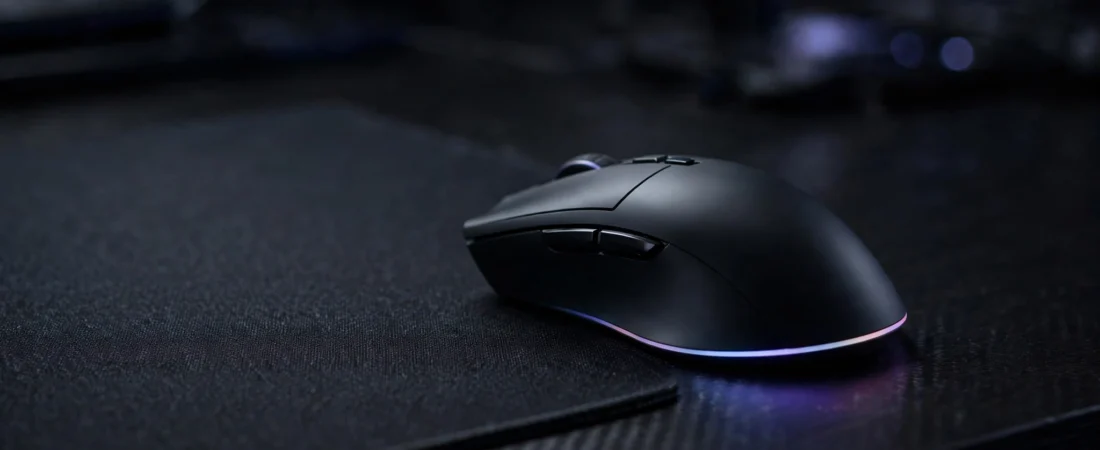
Introduction: Wireless Gaming Is Finally Affordable in India
For years, wireless gaming mice were a luxury. Anything under ₹5,000 was a Bluetooth office mouse pretending to be a gaming peripheral, and anything with a genuine low-latency 2.4GHz gaming dongle cost as much as a budget smartphone. That has changed. In 2026, the sub-₹3,000 segment in India has several proper wireless gaming mice — real gaming sensors, real 1ms polling, and battery life measured in months, not days.
But the budget segment is also full of traps. Many mice sold on Amazon.in and Flipkart advertise “gaming” specs — 12,800 DPI, “2.4GHz wireless” — that mean very little in practice. A generic 2.4GHz dongle can add 8ms or more of latency, a cheap sensor can jitter on cloth mousepads, and a poor battery design turns your mouse into a paperweight every evening. This guide cuts through the marketing so you spend your ₹3,000 on a mouse that actually performs.
We have focused on models you can actually buy in India right now from Amazon.in, Flipkart, and major offline retailers, with price ranges observed across 2026 listings. Prices in this segment move frequently, so treat every figure below as an “around” range rather than an exact quote, and check the live price before you buy.
Why Go Wireless Under ₹3,000?
A good wireless mouse changes how you play. No cable drag when you flick in Valorant or CS2, no wire catching on the desk edge, and a cleaner setup that works just as well on a laptop in a hostel room as on a desktop. At this budget, the key question is whether the wireless connection is actually fast enough for gaming — and that depends entirely on the wireless technology inside.
- 2.4GHz dongle with low latency: Logitech’s LIGHTSPEED and Razer’s HyperSpeed are genuine 1ms technologies, identical in responsiveness to a wired connection. This is what you want for competitive play.
- Generic 2.4GHz: Budget brands often use standard 2.4GHz receivers with 8ms or higher latency. Fine for casual play, questionable for ranked shooters.
- Bluetooth only: Convenient for laptops and phones, but latency is too inconsistent for serious gaming. Good as a secondary mode, never as your gaming connection.
- Tri-mode (2.4GHz + Bluetooth + wired): The sweet spot. Game on the dongle, browse on Bluetooth, and never worry about a dead battery because the cable is always there as a fallback.
What Actually Matters in a Budget Wireless Gaming Mouse
1. Sensor quality over DPI numbers
Most players game between 400 and 1,600 DPI, so the 12K–16K figures in marketing are mostly headroom. What matters is the sensor family: Logitech’s HERO, PixArt sensors (PMW 3325/3327/3311), and Razer’s optical sensors are proven and trustworthy. An unbranded “gaming sensor” with a huge DPI number but jitter on a cloth pad is worse in practice than a branded sensor with half the DPI rating.
2. Weight
Weight matters more than most spec sheets suggest. A lighter mouse (under 80g) is easier to flick and less tiring in long sessions. The Logitech G304, at 99g with its AA battery, feels noticeably heavier than a 69g EvoFox Phantom Air. If you play fast shooters for hours, prefer lighter; if you like stability and a planted feel, a heavier mouse like the G304 can actually be an advantage.
3. Battery style
There are two philosophies at this price. Swappable AA/AAA batteries (Logitech G304, HyperX Pulsefire Fuse) mean you never wait for charging — swap and keep playing. Rechargeable lithium batteries (EvoFox Phantom Air) are lighter and cheaper to run, but need a cable when they die. Both work; pick based on whether you hate buying batteries or hate charging.
4. Polling rate
1,000Hz (1ms) polling is the standard for gaming mice. It is now available well under ₹3,000 on the right models. Avoid mice that only poll at 125Hz over wireless — you will feel the sluggishness.
5. After-sales support in India
This is the factor spec lists never mention. Logitech has service centres across nearly every Indian city, HP and Dell support is equally widespread, and Razer’s warranty network is decent but thinner. Value brands often rely on the seller for warranty, which can mean a fight if something breaks. For a mouse you will use 6–8 hours a day, the brand’s service presence genuinely matters.
The 5 Best Wireless Gaming Mice Under ₹3,000 in India (2026)
1. Logitech G304 LIGHTSPEED — The Default Choice
Price: around ₹2,795–₹2,999 on Amazon.in
The G304 is the best-selling budget gaming mouse in India for a reason, and it remains the safest pick under ₹3,000. The HERO 12K sensor delivers genuinely accurate tracking, LIGHTSPEED wireless matches a wired connection for latency, and the headline battery figure is real: up to 250 hours on a single AA battery means weeks of gaming without thinking about power.
The compact “egg” shape suits small to medium hands and claw/fingertip grips particularly well. Six programmable buttons with onboard memory, Logitech G HUB software for macros and DPI profiles, and Logitech’s India-wide service network round out the package. Trade-offs: 99g is heavy by modern lightweight standards, there is no RGB, and 12,000 DPI is lower than some competitors — none of which matter much for actual gaming at 400–1,600 DPI.
Pros: Genuine 1ms LIGHTSPEED wireless; 250-hour battery; proven HERO sensor; excellent service network in India.
Cons: 99g feels heavy next to modern lightweight mice; no RGB; plain design.
Best for: Students and budget gamers who want proven competitive-grade wireless at the lowest price.
2. Razer DeathAdder V2 X HyperSpeed — The Comfort King
Price: around ₹2,800–₹3,200 on Amazon.in
The DeathAdder shape is arguably the most copied ergonomic design in gaming mice, and the V2 X HyperSpeed brings it under ₹3,000 with Razer’s HyperSpeed wireless (the same 1ms-class protocol as their flagships) and a claimed 235-hour battery life. At 14,000 DPI it out-specs the G304 on paper, and the larger ergonomic body suits palm-grip players and medium-to-large hands far better than the compact Logitech.
Software runs through Razer Synapse, which is excellent if you already own Razer gear but a heavier install than G HUB for a single mouse. Razer’s warranty support in India is solid in metros but thinner than Logitech’s outside major cities — worth considering if you are buying from a smaller town.
Pros: Best-in-class ergonomic shape; HyperSpeed wireless; great for palm grip and larger hands.
Cons: Synapse software is heavy; warranty network thinner than Logitech; battery life claims are generous.
Best for: Palm-grip players who value comfort in long sessions over absolute lightness.
3. HyperX Pulsefire Fuse — The Lightweight Value Pick
Price: around ₹2,900 on Amazon.in
The Pulsefire Fuse is the dark horse of this segment: a 75g body (with AAA battery) with a no-holes design, a respected PixArt 3311 sensor, and dual-mode wireless that switches between 2.4GHz for gaming and Bluetooth for travel. Up to 85 hours of battery life solves the low-battery anxiety of lightweight mice without a heavy internal pack.
The clean design appeals to players who dislike the “honeycomb holes” aesthetic of older lightweight mice, and the weight is balanced for both flicking and tracking. Configuration through HyperX NGENUITY with onboard memory is straightforward. It lacks RGB and the fancy extras of pricier mice, but at this price the fundamentals — sensor, weight, wireless — are all right.
Pros: Light 75g body; trusted PixArt sensor; dual-mode wireless; clean no-holes design.
Cons: 85-hour battery is modest next to the G304; fewer buttons than the G502-style competition.
Best for: FPS players who want a modern lightweight feel on a budget.
4. EvoFox Phantom Air — The Budget Disruptor
Price: around ₹1,199 on Amazon.in
The Phantom Air is the surprise of the Indian budget market: tri-mode connection (wired, 2.4GHz, Bluetooth), a 69g rechargeable body, 1,000Hz polling on the 2.4GHz dongle, and up to 12,800 DPI — all at roughly the price of a decent wired mouse. For casual and everyday competitive play (Valorant, BGMI, casual Dota 2), this is remarkable value.
Be honest about the trade-offs: the sensor is a value-brand unit, not a flagship PixArt part, and the wireless latency is fine for everyday play but not pro-grade. Build quality and after-sales support cannot match Logitech. But if your budget is firmly under ₹1,500 and you want wireless freedom with RGB flair, nothing else in this band comes close.
Pros: Tri-mode at a wired mouse’s price; 69g and rechargeable; 1,000Hz polling; RGB lighting.
Cons: Value-brand sensor; warranty via seller only; not for serious ranked play.
Best for: Students and casual gamers who want wireless + RGB for the least money.
5. Redgear A-17 / Zebronics Zeb-Transformer — The Cheapest Entry
Price: around ₹700–₹1,200 on Amazon.in/Flipkart
For players who just want to try a wireless gaming mouse without spending, Redgear’s and Zebronics’ budget wireless models remain popular in India. They offer 2.4GHz connectivity, RGB lighting, and gaming-style shapes at prices that undercut even office mice from bigger brands.
Set expectations correctly: these use generic 2.4GHz receivers with higher latency than LIGHTSPEED or HyperSpeed, the sensors are basic, and long-term durability is a lottery. They are fine for casual play and great for a first gaming mouse, but they are not in the same performance tier as the G304 or DeathAdder V2 X.
Pros: Cheapest way to go wireless; RGB looks; widely available.
Cons: Higher latency generic wireless; basic sensors; durability varies unit to unit.
Best for: First-time buyers testing whether wireless gaming is for them.
Quick Comparison Table
| Mouse | Wireless Tech | Weight | Battery | Price (₹, approx.) |
|---|---|---|---|---|
| Logitech G304 | LIGHTSPEED 1ms | 99g | AA, ~250 hrs | 2,795–2,999 |
| Razer DeathAdder V2 X HyperSpeed | HyperSpeed 1ms | ~103g | AA, ~235 hrs | 2,800–3,200 |
| HyperX Pulsefire Fuse | 2.4GHz + BT | 75g | AAA, ~85 hrs | ~2,900 |
| EvoFox Phantom Air | Tri-mode | 69g | Rechargeable | ~1,199 |
| Redgear / Zebronics budget | Generic 2.4GHz | ~100g+ | Rechargeable | 700–1,200 |
Buying Guide: How to Choose the Right One
Match the mouse to your games
FPS players (Valorant, CS2, Apex) should prioritise a proven low-latency connection and light weight — the G304’s LIGHTSPEED and the Pulsefire Fuse’s 75g body are built for this. MMO and battle-royale players who live on macros (Dota 2, GTA V with mods) benefit from extra programmable buttons, where the DeathAdder V2 X and G304’s six buttons both do the job. Casual story-game players can save money with the EvoFox or a budget brand and never notice the difference.
Match the mouse to your hands
Hand size and grip style matter more at this price than any spec. The G304’s compact egg shape rewards claw and fingertip grips with small-to-medium hands; larger hands cramp on it during long sessions and should lean toward the DeathAdder V2 X’s full-size ergonomic body. If you do not know your grip style, a medium, ambidextrous-ish shape like the G304 is the safer first buy.
Factor in the Indian environment
Two realities of India affect your choice. First, dust: Indian rooms accumulate fine dust fast, and scroll wheels are the first victims. A mouse with an exposed, grooved scroll wheel needs a weekly cotton-bud clean — keep a small brush on your desk. Second, summer: at 35–45°C with sweaty hands, textured rubber grips (DeathAdder V2 X) hold up better than smooth glossy shells, and a lighter mouse produces less palm fatigue in marathon sessions.
Where to buy safely
Buy from Amazon.in’s “sold by Amazon”/appario-retail equivalents or Flipkart’s WS Retail equivalents, or the brand’s official store on these platforms. Avoid no-name marketplace sellers even when they are ₹200 cheaper — warranty claims on gaming mice almost always go through the seller first, and a shady seller means no warranty at all. Check that the listing says the product is covered by the brand’s India warranty before ordering.
What to Avoid in This Segment
- Bluetooth-only “gaming” mice: Bluetooth adds inconsistent latency. It is fine for a laptop mouse, useless for competitive gaming.
- Sky-high DPI as the headline spec: A “16,000 DPI gaming sensor” from an unknown brand is marketing, not engineering. Sensor brand and low-latency wireless matter; the DPI number does not.
- No-name dongles: If the listing does not name the wireless technology (LIGHTSPEED, HyperSpeed, or at least 1,000Hz polling), assume generic high-latency 2.4GHz.
- Refurbished flagships masquerading as new: Some listings sell used G Pro or Viper mice near ₹3,000. Unless the seller is reputable and the listing is honest about refurbishment, skip them — switches and batteries are the first things to die.
Frequently Asked Questions
Is a wireless gaming mouse worth it under ₹3,000?
Yes. At this budget you can get a genuine low-latency 2.4GHz connection (LIGHTSPEED or HyperSpeed) that performs indistinguishably from wired in blind tests. Just avoid Bluetooth for gaming and use the 2.4GHz dongle for play.
Which is the best wireless gaming mouse under ₹3,000 in India?
The Logitech G304 LIGHTSPEED is the best all-rounder for most buyers: proven 1ms wireless, 250-hour battery, a trustworthy sensor, and Logitech’s India-wide service network. Palm-grip players with larger hands should consider the Razer DeathAdder V2 X HyperSpeed instead.
Can I game on Bluetooth to save battery?
You can, but you will notice it. Bluetooth adds latency and occasional stutter that is fine for browsing and fine for casual play, but costly in competitive shooters. Use the dongle for games, Bluetooth for everything else.
How long does the battery last on these mice?
AA-powered mice like the G304 and DeathAdder V2 X claim 235–250 hours — several weeks of daily gaming per battery. Rechargeable models like the Phantom Air and Pulsefire Fuse need a cable every week or two depending on use. Neither is a burden; the G304’s approach just means you never wait.
Do I need RGB on a gaming mouse?
No. RGB changes nothing about performance and drains battery faster. It is purely cosmetic — the G304, the best pick on this list, has none at all. Buy RGB only if the look genuinely matters to you, as with the EvoFox Phantom Air.
What DPI should I use for gaming?
Most players and professionals play between 400 and 1,600 DPI. The 12K–25K headline figures on modern mice are headroom you will rarely use. A flagship sensor matters for consistency and low-speed accuracy, not for chasing the biggest number.
Conclusion: Our Verdict
The Logitech G304 LIGHTSPEED remains the king of budget wireless gaming in India — at around ₹2,795–₹2,999 it offers genuinely competitive wireless, months of battery life, and the peace of mind of Logitech’s service network. If your hands are larger or you palm-grip, the Razer DeathAdder V2 X HyperSpeed is the better-shaped rival. Budget FPS players should look at the lightweight HyperX Pulsefire Fuse, and cash-strapped students can get shockingly far with the ₹1,199 EvoFox Phantom Air.
Whichever you choose, remember the three rules of this segment: buy the wireless technology, not the DPI number; buy from a seller who honours the India warranty; and keep a cotton bud on your desk, because Indian dust is the true final boss. Check the live price before ordering — these mice go on sale constantly, and a ₹2,499 G304 during a sale is one of the best value purchases in all of PC gaming.