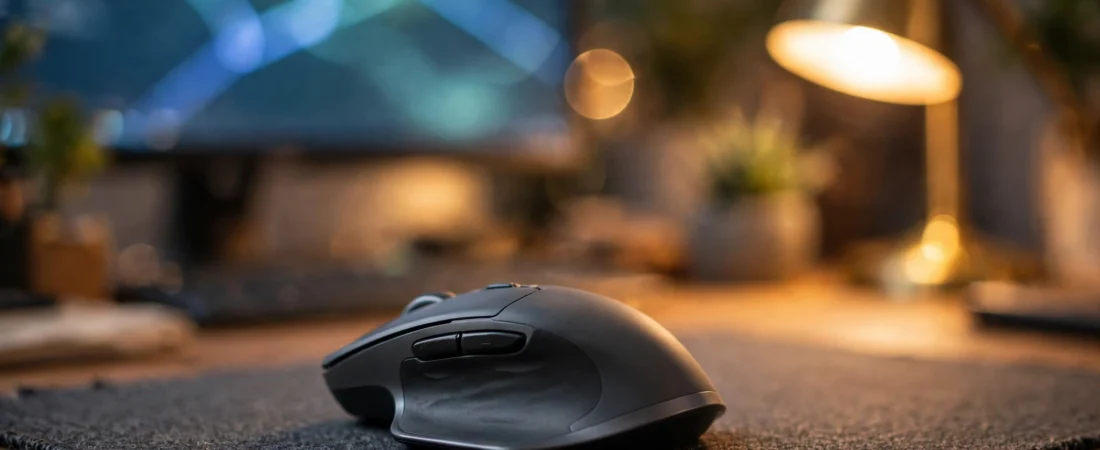
Introduction: Your Mouse Is a Coding Tool, Not an Afterthought
Programmers think hard about keyboards — mechanical switches, keycap profiles, ergonomic splits — and then grab whatever ₹300 mouse came free with the desktop. That is backwards. A developer spends eight to twelve hours a day at a computer, and the mouse is in the hand for most of it: navigating thousand-line files, scrolling through diffs, jumping between editor panes, switching between a laptop and a desktop, reviewing documentation.
A good programming mouse is not a gaming mouse with the RGB turned off. It is a comfort-first, productivity-first tool: an ergonomic shape that survives long sessions, a scroll wheel that eats long files for breakfast, programmable buttons for IDE shortcuts, multi-device switching for laptop-plus-desktop setups, and silent clicks if you work in a shared office or from home with family around. This guide covers all of it, with models you can actually buy in India and price ranges from 2026 listings.
Prices in India move with sales and stock; treat every figure below as an “around” range and check the live price before buying.
What Programmers Should Look for in a Mouse
1. Ergonomics for 8+ hour days
Repetitive strain injury is the occupational hazard of programming, and the mouse is a prime suspect. Look for a sculpted shape with a thumb rest and a defined palm arch — flat, symmetrical travel mice are the worst choice for all-day coding. If you already have wrist pain, a vertical mouse (which holds the hand in a neutral “handshake” position) or a trackball can be genuinely corrective; we cover both below.
2. The scroll wheel matters more than the sensor
Nobody codes at 25,000 DPI. What a programmer actually needs from a mouse is scroll excellence: a free-spinning wheel that flies through long files and git diffs, plus precise ratcheted steps for navigating menus. Logitech’s MagSpeed electromagnetic wheel (free-spin or ratchet at a flick) is the gold standard here — scrolling a 3,000-line file takes half a second, and once you have used it, a normal wheel feels like paging through a PDF one line at a time.
3. Programmable buttons for IDE shortcuts
Back/forward thumb buttons are the minimum. A mouse with a gesture button or extra programmable buttons can hold shortcuts for switching editor tabs, opening terminals, jumping to definitions, and triggering builds. In VS Code, IntelliJ, or Neovim-with-a-GUI, a week of muscle memory turns these into genuine speed gains.
4. Multi-device switching
Many Indian developers work across a personal laptop, an office laptop, and sometimes a desktop. A mouse that pairs with three devices and switches between them with a button press (Logitech’s Easy-Switch, for example) eliminates the daily Bluetooth re-pairing ritual. Bluetooth + 2.4GHz dongle combos give you the most flexibility.
5. Silent clicks
If you code in a shared office, a coworking space, or at home while family sleeps nearby, silent-click mice (Logitech’s SilentTouch and equivalents) remove the constant click-clack without changing the click feel much. Your coworkers will thank you; on late-night deploys, your family will too.
6. Battery and connectivity practicalities
Rechargeable via USB-C is the modern standard — check the port, because some 2026 models still ship micro-USB. Bluetooth-only mice save a USB port but can stutter in offices full of wireless devices; a 2.4GHz dongle option is worth having for a primary work machine.
The Best Mice for Programmers in India (2026)
1. Logitech MX Master 3S — The Developer’s Default
Price: around ₹9,500–₹10,500 on Amazon.in
The MX Master 3S is the mouse most professional programmers end up buying, and it earns that status. The sculpted ergonomic body with a thumb rest is built for all-day right-handed use. The MagSpeed wheel is the headline act for developers — free-spin through a 3,000-line file in half a second, ratcheted precision for everything else. The thumb wheel adds horizontal scrolling for wide code panes and timelines. The gesture button under the thumb opens app-specific shortcuts you can map per-application in Logi Options+.
It connects to three devices over Bluetooth or the Logi Bolt dongle, switches between them with a button, and the 8,000 DPI sensor tracks on glass — handy for developers who work from cafés and client offices. Clicks are near-silent. The 141g weight is noticeable but irrelevant for coding; you are not flick-shotting. Downsides: right-hand only, the price stings, and Logi Options+ software is required to unlock the best features.
Pros: Best-in-class scroll wheel; superb ergonomics; 3-device switching; silent clicks; per-app shortcuts.
Cons: Expensive; right-hand only; heavy; software needed for full features.
Best for: Professional developers who want the best coding mouse, budget permitting.
2. Logitech Signature M650 — The Sensible Mid-Range
Price: around ₹2,400–₹2,800 on Amazon.in
The M650 is the MX Master’s sensible younger sibling: a comfortable sculpted shape, SilentTouch quiet clicks, a SmartWheel that auto-shifts between ratchet and free-spin, and multi-device Bluetooth plus a Logi Bolt dongle. It lacks the MagSpeed wheel’s electromagnetic magic and the gesture button, but for roughly a quarter of the MX Master 3S’s price it delivers 80% of the coding experience.
It comes in two sizes (regular and large) — a genuinely useful choice for Indian hand sizes — and runs on a single AA battery for up to two years. For developers buying their own gear or outfitting a team, this is the value sweet spot.
Pros: Great comfort per rupee; silent clicks; two sizes; 2-year AA battery.
Cons: No MagSpeed wheel; fewer programmable buttons; plastic build feels mid-range.
Best for: Developers who want MX-style comfort without the MX price.
3. Logitech MX Anywhere 3S — The Laptop Developer’s Mouse
Price: around ₹7,500–₹8,500 on Amazon.in
If your “office” is a different café, coworking desk, or client site every week, the MX Anywhere 3S is the travel pick: compact enough for a laptop bag, the same 8,000 DPI glass-tracking sensor as its bigger sibling, MagSpeed scrolling, silent clicks, and three-device switching. It is the mouse for developers who pair-program on other people’s machines and demo from laptops.
The compact size is the trade-off — large hands will find it cramped for all-day desk use. This is a second mouse for most developers, not the primary desk mouse, but for the mobile developer it can be the only mouse.
Pros: Portable; glass tracking; MagSpeed wheel; 3-device switching.
Cons: Small for large hands; pricey for its size; not an all-day desk mouse for everyone.
Best for: Developers who work from laptops across locations.
4. Logitech G502 HERO — The Programmer Who Also Games
Price: around ₹4,000–₹4,495 on Amazon.in
Many Indian developers are also gamers, and the G502 HERO is the crossover pick: eleven programmable buttons that double as IDE macro keys, the dual-mode hyper-fast scroll wheel that free-spins through code as happily as through web pages, and a comfortable (if heavy) ergonomic body. Map build, run, debug, and terminal shortcuts to the thumb buttons and you have a legitimate productivity tool that also happens to be a superb gaming mouse.
The compromises: it is wired, it is heavy at 121g+, and clicks are loud — not ideal for silent offices. But as a single mouse for a developer-gamer’s desk, nothing else under ₹5,000 does both jobs this well.
Pros: 11 programmable buttons; hyper-fast wheel; doubles as a gaming mouse; great value.
Cons: Wired; heavy; loud clicks; not an ergonomic-first design.
Best for: Developers who game and want one mouse for both.
5. Anker Vertical Ergonomic Mouse — The Wrist-Pain Fix
Price: around ₹2,400–₹2,800 on Amazon.in
If you already have wrist pain or early RSI symptoms, a vertical mouse is worth trying before the problem gets worse. The Anker vertical mouse holds your hand in a neutral handshake position that eliminates the forearm twisting a flat mouse requires. It is wireless (2.4GHz + wired options exist depending on the variant), has five buttons including back/forward, and adjustable DPI.
Be honest about the adjustment: vertical mice feel strange for the first week, precision tasks take relearning, and they are poor gaming mice. But for pure coding comfort with existing wrist issues, the ergonomic benefit is real and well-documented. Pair it with a proper chair and desk height — the mouse alone cannot fix a bad setup.
Pros: Genuinely reduces wrist strain; affordable; simple and reliable.
Cons: Adjustment period; poor for precision/gaming; basic sensor and buttons.
Best for: Programmers with wrist pain or RSI concerns.
6. Logitech M331 Silent Plus — The Budget Workhorse
Price: around ₹1,100–₹1,300 on Amazon.in
For developers on a tight budget — students, freshers, anyone whose company hands them a laptop and nothing else — the M331 Silent Plus is the minimum viable coding mouse: comfortable contoured shape, genuinely silent clicks, 2.4GHz wireless with a tiny storable receiver, and a 24-month battery life. It will not transform your workflow, but it will not hurt your wrist or annoy your roommates either, and Logitech’s India service network backs it.
Pros: Silent; comfortable; 2-year battery; cheap; wide availability.
Cons: Basic sensor; no multi-device; no programmable extras; standard scroll wheel.
Best for: Students and budget buyers who need a reliable daily driver.
Quick Comparison Table
| Mouse | Key Strength | Multi-Device | Price (₹, approx.) |
|---|---|---|---|
| Logitech MX Master 3S | MagSpeed wheel, ergonomics | Yes, 3 devices | 9,500–10,500 |
| Logitech Signature M650 | Comfort per rupee | Yes, 3 devices | 2,400–2,800 |
| Logitech MX Anywhere 3S | Portable, glass tracking | Yes, 3 devices | 7,500–8,500 |
| Logitech G502 HERO | 11 macro buttons | No (wired) | 4,000–4,495 |
| Anker Vertical | Wrist-pain relief | Varies by variant | 2,400–2,800 |
| Logitech M331 Silent Plus | Budget + silent | No | 1,100–1,300 |
Setting Up Your Mouse for Coding: Practical Tips
Map your most-used shortcuts
Install the manufacturer’s software (Logi Options+ for MX mice, G HUB for the G502) and assign your real workflow: back/forward for browser and IDE navigation, a thumb button for “go to definition,” another for toggling the terminal, and the gesture button or DPI-shift for switching editor groups. In VS Code, these map to commands like “Go to Definition” (F12), “Toggle Terminal” (Ctrl+`), and “Quick Open” (Ctrl+P). One week of deliberate use builds the muscle memory.
Tune pointer speed, not DPI
For coding, a medium DPI (800–1,200) with OS pointer acceleration off gives the most predictable cursor control across multiple monitors. High DPI helps only if you run a 4K multi-monitor setup and need to cross large distances quickly. Consistency beats speed for an 8-hour workday.
Fix your desk before blaming the mouse
No mouse fixes a bad setup. Your elbow should rest near 90 degrees, the mouse should sit close to your body (not reaching forward), and your wrist should stay neutral — not bent up on a desk edge. A ₹2,000 mouse on a correct desk beats a ₹10,000 mouse on a dining table. If wrist pain persists after fixing ergonomics, see a physiotherapist; early RSI responds well to treatment and poorly to being ignored.
Keep it clean — Indian dust is relentless
A developer’s scroll wheel collects dust fast in Indian conditions, and a gritty wheel ruins the precise scrolling you bought the mouse for. A weekly pass with a dry cotton bud around the wheel and sensor keeps tracking crisp. (We have a full guide on cleaning and maintaining your mouse in Indian conditions elsewhere on this site.)
What About Trackballs?
Trackballs (like the Logitech MX Ergo or Elecom models available on Amazon.in) deserve a mention: the hand stays still while the thumb rolls the ball, which some RSI sufferers find transformative, and they need almost no desk space — ideal for cramped hostel desks. The learning curve is real (expect two frustrating weeks), precision work like pixel-level UI design is harder, and good trackballs cost ₹5,000+ in India. Try one only if a conventional ergonomic mouse has not solved your discomfort.
Frequently Asked Questions
Do programmers need a gaming mouse?
No — and usually a gaming mouse is the wrong tool. Programming rewards ergonomics, scroll quality, silent clicks, and multi-device switching; gaming rewards sensor speed, light weight, and low latency. The exception is the developer-gamer who wants one mouse for both, where something like the G502 HERO makes sense.
Is the MX Master 3S worth it for coding in India?
If you code 8+ hours daily and can afford it, yes. The MagSpeed wheel alone saves meaningful time every day navigating large codebases, and the ergonomics genuinely reduce end-of-day wrist fatigue. If the price is too steep, the Signature M650 delivers most of the comfort for a quarter of the cost.
Which mouse is best for wrist pain from coding?
Start with a sculpted ergonomic mouse like the MX Master 3S or Signature M650 and fix your desk posture. If pain persists, try a vertical mouse like the Anker vertical ergonomic mouse, which holds the wrist in a neutral position. Persistent pain deserves a physiotherapist, not just new hardware.
Are silent-click mice good for programming?
Yes, especially in shared spaces. Logitech’s SilentTouch (M650, M331, MX Master 3S) reduces click noise dramatically without a mushy feel. There is a small trade-off in click crispness that most people stop noticing within days.
Should I get a wireless or wired mouse for programming?
Wireless, for most developers. Modern 2.4GHz and Bluetooth connections are perfectly reliable for coding, and the cable-free desk plus multi-device switching are genuine quality-of-life upgrades. Wired only wins if you never move the mouse and want zero battery thoughts.
How important is DPI for programming?
Barely at all. Any modern mouse from a reputable brand tracks accurately enough for code. Spend your decision energy on shape, scroll wheel, buttons, and multi-device features instead.
Conclusion: Our Verdict
For most professional developers in India, the Logitech MX Master 3S (around ₹9,500–₹10,500) is the definitive coding mouse — the scroll wheel, ergonomics, and multi-device switching are purpose-built for long days in an IDE. On a budget, the Logitech Signature M650 (around ₹2,400–₹2,800) is the smart buy, and students can start with the M331 Silent Plus (around ₹1,100–₹1,300). Developer-gamers should look at the G502 HERO, and anyone with wrist pain should seriously consider going vertical.
Whatever you choose, remember that the mouse is one part of an ergonomic system: chair height, desk height, and monitor position matter at least as much. Buy the mouse, fix the desk, map your shortcuts — and your future self, eight hours into a deploy day, will thank you.