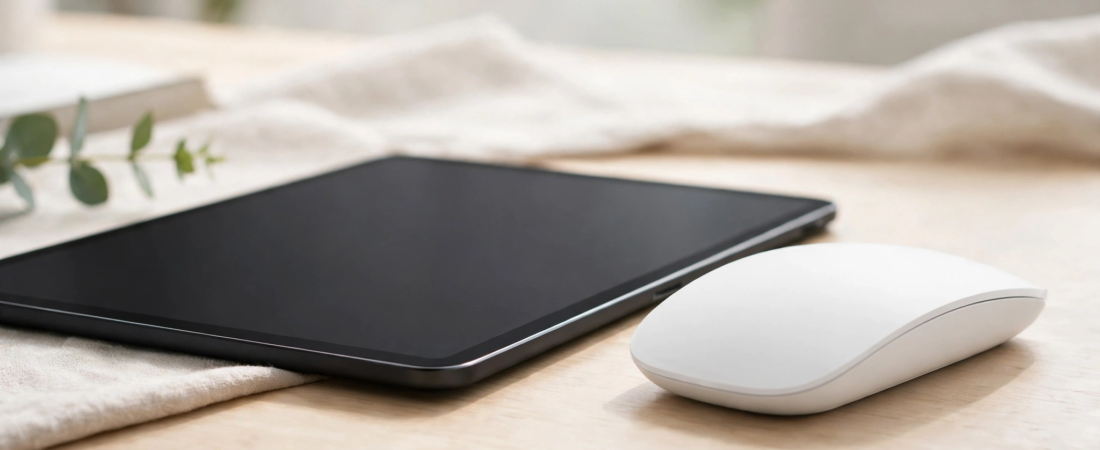
Tablets have quietly become real computers. Students attend classes on iPads, creators edit documents on Galaxy Tabs, and plenty of people now do serious work without ever opening a laptop. But touch alone is a poor way to select text, manage spreadsheets, or navigate a desktop-class browser — a mouse transforms a tablet from a media device into a workstation. The catch: tablets need Bluetooth mice (no dongle ports, no pairing headaches), and not every mouse plays nicely with iPadOS or Android. This guide covers exactly what tablet cursor support looks like, then rounds up the five best mice for iPad and Android tablets you can buy in India, with verified prices.
What Mouse Support Looks Like on iPadOS and Android
On iPad (iPadOS 13.4 and later): Apple added full native mouse and trackpad support, so any Bluetooth mouse pairs in seconds from Settings. The cursor appears as a small circle that morphs contextually — it snaps onto buttons, turns into an I-beam over text, and changes in apps. Right-click works as a secondary click (long-press equivalent), the scroll wheel scrolls naturally, and most mice’s extra buttons can be customised under Settings → General → Trackpad & Mouse. One honest limitation: iPadOS does not support hover-dependent desktop features or pixel-precise design work the way macOS does, and gestures like three-finger swipe need a trackpad, not a mouse.
On Android tablets (Android 8 and later, best on Android 10+): Bluetooth mouse support is built in and works well — the cursor is a standard arrow, right-click acts as “back” in most apps, and the scroll wheel scrolls. Samsung’s DeX mode on Galaxy Tabs is especially mouse-friendly, turning the tablet into a genuinely desktop-like experience where a good mouse feels essential. Per-app behaviour varies more than on iPadOS, so stick to mainstream mice from Logitech or Microsoft for the fewest surprises.
What to look for in a tablet mouse: Bluetooth 5.0 or newer for stable pairing, multi-device switching if you also use a laptop, silent clicks for classrooms and cafés, a compact or slim shape for carrying in a tablet sleeve, and long battery life so you are not hunting for chargers.
The 5 Best Mice for iPad and Android Tablets in India
Prices verified October 2026. All five connect over Bluetooth with no dongle required.
1. Logitech Pebble 2 M350s — Best Overall for Tablets (around ₹1,299)
The Pebble 2 is the default recommendation for tablet users, and it is easy to see why. It is slim, light, and genuinely pocketable; it connects over Bluetooth to up to three devices with one-tap Easy-Switch; the clicks are near-silent; and one AA battery lasts up to 24 months. The minimalist pebble shape suits the tablet aesthetic, and at around ₹1,299 it costs less than a tablet case. It works flawlessly with iPadOS cursor support and Android alike.
Best for: Students and casual tablet users who want a cheap, silent, carry-anywhere mouse. Keep in mind: the flat shape is not for long desktop sessions, and there are no side buttons.
2. Logitech M196 Bluetooth — Cheapest Reliable Option (around ₹645)
If the budget is tight, the M196 is the cheapest Bluetooth mouse from a major brand that is actually worth buying. It offers Bluetooth fast-pairing, 1000 DPI optical tracking, a compact ambidextrous shape, and up to 12 months of battery life. It lacks multi-device switching and silent clicks, but for basic iPad or Android tablet navigation — browsing, notes, video calls — it does the job at a price lower than most phone cases.
Best for: Budget buyers and as a spare travel mouse. Keep in mind: single-device pairing only, and clicks are standard loudness.
3. Portronics Toad IV — Best Indian Brand Pick (around ₹599)
Portronics’ Toad IV deserves a mention as the strongest home-grown option: dual connectivity (Bluetooth plus 2.4 GHz receiver), silent click switches, 1200 DPI, auto power-saving, and it runs on a single AA battery. At around ₹599 it is the cheapest dual-mode mouse on this list, and buying Indian means easier service access. Tablet pairing over Bluetooth is straightforward on both iPadOS and Android.
Best for: Buyers who want maximum features per rupee and prefer an Indian brand. Keep in mind: build quality and sensor precision trail Logitech at this price.
4. Apple Magic Mouse — Best for iPad Purists (around ₹6,599)
If you live inside the Apple ecosystem, the Magic Mouse is the most “native” feeling option. Its entire top surface is a Multi-Touch panel, so you can scroll and swipe between pages with finger gestures that feel exactly like the trackpad gestures iPad users already know. It pairs instantly over Bluetooth, the rechargeable battery lasts about a month, and the low 21.6 mm profile slides into any bag. The current USB-C white model sells for around ₹6,599 in India.
Best for: iPad-first users who want gesture scrolling and Apple-grade fit and finish. Keep in mind: the flat shape divides opinion for long sessions, it charges from the bottom (you cannot use it while charging), and it is overpriced for Android tablet users.
5. Logitech MX Master 3S — Best for Serious Tablet Work (around ₹5,795)
For the tablet-as-laptop crowd — writers, analysts, developers using remote desktops — the MX Master 3S is the productivity king. Its 8000 DPI Darkfield sensor tracks even on glass, the MagSpeed scroll wheel flies through thousand-row spreadsheets, quiet clicks keep calls clean, and it pairs with up to three devices over Bluetooth (plus Logi Bolt receiver for a laptop). Customisable buttons and the thumb wheel shine in apps like Excel and Lightroom. At around ₹5,795 it is a genuine investment, but it is also the last mouse you will need for years.
Best for: Professionals doing real work on tablets, especially with DeX or remote-desktop setups. Keep in mind: it is large and heavy for a tablet bag, and overkill for casual use.
Quick Comparison Table
| Mouse | Connection | Multi-device | Silent clicks | Battery | Approx. price | Best for |
|---|---|---|---|---|---|---|
| Logitech Pebble 2 M350s | Bluetooth + receiver | 3 devices | Yes | 24 months (AA) | Around ₹1,299 | Best overall tablet pick |
| Logitech M196 Bluetooth | Bluetooth | No | No | 12 months | Around ₹645 | Cheapest reliable |
| Portronics Toad IV | Bluetooth + receiver | No | Yes | AA battery | Around ₹599 | Indian brand value |
| Apple Magic Mouse | Bluetooth | No | Yes (touch) | ~1 month (rechargeable) | Around ₹6,599 | iPad purists, gestures |
| Logitech MX Master 3S | Bluetooth + Bolt | 3 devices | Yes | 70 days (USB-C) | Around ₹5,795 | Serious tablet work |
How to Pair a Mouse With Your iPad
- Put the mouse in Bluetooth pairing mode (usually a long-press on the pairing button; the Pebble 2 and MX Master 3S have dedicated Easy-Switch buttons).
- On the iPad, open Settings → Bluetooth and make sure Bluetooth is on.
- Tap the mouse name when it appears under “Other Devices”.
- Once connected, fine-tune it under Settings → General → Trackpad & Mouse: adjust tracking speed, enable Natural Scrolling, and set the secondary click (right-click) behaviour.
- Optional: under Settings → Accessibility → Pointer Control, you can change the cursor size, colour, and scrolling speed.
On Android tablets the flow is nearly identical: Settings → Connected devices → Pair new device, then tap the mouse name. In Samsung DeX, the mouse behaves like a desktop cursor immediately.
Tips for a Better Tablet-Mouse Experience
- Use multi-device switching if your mouse supports it: pair channel 1 to your tablet and channel 2 to your laptop, and hop between them with a button instead of re-pairing.
- Turn off the mouse when travelling. Bluetooth mice in a bag can wake the tablet and drain both batteries; most have a physical switch underneath.
- Raise the tracking speed on iPadOS — the default feels slow to desktop users. One notch above middle suits most people.
- For DeX and remote desktop, a full-size mouse like the MX Master 3S is dramatically more comfortable than a travel mouse for sessions over an hour.
- Keep a short USB-C cable handy if you buy rechargeable: tablets charge mice slowly, and a dead mouse mid-lecture is avoidable.
Frequently Asked Questions
Can I use any Bluetooth mouse with an iPad?
Yes — any standard Bluetooth mouse pairs with iPadOS 13.4 or later. You do not need an Apple-branded mouse. That said, mice with multi-device switching and silent clicks (like the Pebble 2) are more pleasant for tablet use than generic ones.
Does right-click work on iPad?
Yes. iPadOS treats right-click as a secondary click, which opens context menus and acts as a long-press in most apps. You can configure its behaviour under Settings → General → Trackpad & Mouse.
Can I use a 2.4 GHz dongle mouse with a tablet?
Technically yes with a USB-C adapter or hub, but it is awkward — the dongle sticks out and you lose a port. Bluetooth is the practical choice for tablets; several picks above include both, so the dongle stays with your PC.
Is the Magic Mouse worth it for iPad?
Only for committed Apple users who value gesture scrolling and seamless pairing. For everyone else, the Pebble 2 M350s delivers 80 percent of the experience at one-fifth the price, and the MX Master 3S is the better tool for serious work.
Will a mouse work with Android tablets?
Yes. Android has built-in Bluetooth mouse support with a standard arrow cursor, working scroll wheel, and right-click-as-back. It is especially good in Samsung DeX mode, which turns a Galaxy Tab into a desktop-like workspace.
Do I need a mousepad for tablet use?
Not necessarily — most modern sensors track fine on desks and tables. But a slim mousepad improves glide and protects the tablet’s surroundings; the MX Master 3S’s Darkfield sensor even tracks on glass, which is handy in cafés and airports.
Conclusion
For most tablet users in India, the Logitech Pebble 2 M350s at around ₹1,299 is the obvious pick: silent, slim, multi-device, and cheap enough to be a no-brainer. Tight budget? The Logitech M196 (around ₹645) or Portronics Toad IV (around ₹599) cover the basics. Apple loyalists should consider the Magic Mouse (around ₹6,599) for its gesture surface, while anyone doing genuine work on a tablet — DeX, spreadsheets, remote desktop — will get their money’s worth from the MX Master 3S (around ₹5,795). Pair it once, tune the tracking speed, and your tablet finally feels like the computer it was trying to be.