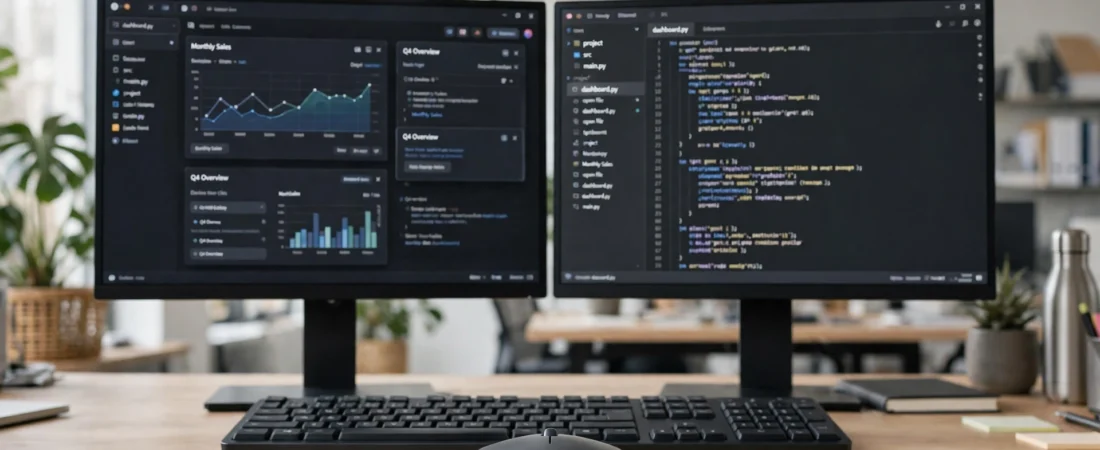
Introduction: Two Monitors Change What You Need from a Mouse
A dual monitor setup is one of the best productivity upgrades you can make. Code on one screen and documentation on the other, a spreadsheet on the left and email on the right, a video call on one monitor and notes on the second — once you work this way, going back to a single screen feels cramped. But there is a catch that nobody mentions when you buy the second monitor: your old mouse suddenly feels wrong. It takes two or three lifts to cross both screens, the cursor gets stuck at the bezel, and precise clicks on the far monitor feel like a stretch.
The best mouse for dual monitor setup in India is built for that wider canvas. It offers higher adjustable DPI so one movement crosses both screens, a sensor that tracks cleanly at slow and fast speeds, a scroll wheel that handles long documents and timelines, and a comfortable shape for the longer sessions that two monitors encourage. This guide explains what to look for, compares models actually sold in India with approximate Indian prices, and helps you pick the right mouse whether your second monitor is for office work, study, coding, or content creation. Note the distinction that matters here: this guide is about one computer driving two monitors. If your need is switching one mouse between two different computers, that is a multi-device mouse problem, and we cover the best multi-device picks inside this guide as a secondary feature, not the main focus.
Table of Contents
- Why a Single-Monitor Mouse Feels Wrong on Two Screens
- Quick Comparison: Best Dual Monitor Mice in India
- Best Overall: Logitech MX Master 3S
- Best Premium Upgrade: Logitech MX Master 4
- Best Compact Pick: Logitech MX Anywhere 3S
- Best Multi-Device Bonus: Logitech M720 Triathlon
- Best Budget Pick: Logitech Signature M650 L
- Best Value Pick: Logitech M221 / HP 240
- How to Set Up Your Mouse for Two Monitors
- Fixing Common Dual Monitor Mouse Problems
- Frequently Asked Questions
- Conclusion: Which Mouse Should You Buy?
Why a Single-Monitor Mouse Feels Wrong on Two Screens
Think about the maths for a moment. A single Full HD monitor is 1,920 pixels wide. Two of them side by side are 3,840 pixels, and if one is a 1440p or 4K monitor, the total is wider still. A mouse set to 800 DPI — a common default — needs nearly five inches of desk movement to cross two Full HD screens. That means constant lifting, repositioning, and re-aiming, dozens of times an hour.
Higher DPI solves the travel problem, but it creates a new one if the sensor is poor: at high DPI, a cheap sensor jitters, overshoots small targets, and makes precise clicks frustrating. The right dual monitor mouse therefore needs both — enough DPI range to cross two screens comfortably, and a sensor clean enough to still hit a small button precisely. Around 1,600–2,400 DPI is the sweet spot for most two-monitor setups, with on-the-fly switching to a lower DPI for fine work.
Two other features matter more on two monitors than on one. A good scroll wheel, especially one with free-spin and notched modes, helps you move through long spreadsheets, code files, and timelines that now stretch across a wider workspace. And programmable side buttons for switching windows, switching desktops, and moving windows between monitors save you from dragging windows across the bezel by hand all day.
Quick Comparison: Best Dual Monitor Mice in India
| Mouse | Best For | Approx. Price in India | Key Feature |
|---|---|---|---|
| Logitech MX Master 3S | Best overall for two screens | Around ₹8,700–₹12,937 MRP; Bluetooth Edition seen near ₹5,795 on sale | 8,000 DPI, thumb wheel, MagSpeed wheel |
| Logitech MX Master 4 | Premium upgrade | Around ₹10,495–₹11,995 | Haptics, Actions Ring, 8,000 DPI |
| Logitech MX Anywhere 3S | Compact / laptop + monitor | Around ₹8,999 | Tracks on glass, 3-device pairing, 99 g |
| Logitech M720 Triathlon | Two computers + two monitors | Around ₹5,368–₹5,999 | 3-device switching, 8 buttons, 24-month battery |
| Logitech Signature M650 L | Budget comfort | Around ₹2,370 | Silent clicks, SmartWheel, large shape |
| Logitech M221 / HP 240 | Cheapest usable picks | Around ₹699–₹949 | Simple, reliable, long battery |
Prices are approximate and change with sales, coupons, and stock. Verify the live listing and seller before ordering.
Best Overall: Logitech MX Master 3S
The MX Master 3S is the best dual monitor mouse for most Indian users, and the reason is simple: it was designed for wide workspaces. Its 8,000 DPI Darkfield sensor lets you set a comfortable cross-screen speed — typically 1,600–2,400 DPI for two Full HD monitors — without jitter, and its thumb wheel pans horizontally across wide spreadsheets, timelines, and design canvases without keyboard shortcuts.
In Logi Options+, you can create per-application profiles, so the same buttons behave differently in your browser, your spreadsheet, and your code editor. A practical dual monitor layout is: side buttons for back and forward, thumb wheel for horizontal scrolling, gesture button for switching virtual desktops or showing all windows, and a DPI shift button for dropping to fine control when you need to click a small target on the far monitor. The mouse is rechargeable over USB-C with up to 70 days per charge, and it pairs with three devices over Bluetooth or the Logi Bolt receiver.
It is a large, right-handed mouse, so it suits medium to large hands and a fixed desk setup — exactly the typical dual monitor desk. If you find the Bluetooth Edition on sale near ₹5,795 against its MRP of ₹12,937, it is one of the best productivity purchases available in India. The main limitation is the lack of a left-handed version.
Best Premium Upgrade: Logitech MX Master 4
Launched in India in late 2026, the MX Master 4 builds on the 3S with a haptic feedback panel and an Actions Ring that puts app-specific shortcuts at your cursor. For dual monitor users, the Actions Ring is genuinely handy: window management, moving a window to the other monitor, and app switching without travelling to a menu bar. It keeps the same 8,000 DPI sensor, MagSpeed wheel, and thumb wheel, and is available from around ₹10,495 on sale.
Buy the Master 4 if you are setting up a dual monitor desk from scratch in 2026 and want the newest model. If you already own a Master 3S, keep it — the cross-screen experience is essentially the same, and the money is better spent on a monitor arm or a larger mouse pad.
Best Compact Pick: Logitech MX Anywhere 3S
Many dual monitor setups in India are actually a laptop plus one external monitor. For that arrangement, the MX Anywhere 3S is ideal. It is small enough to travel with the laptop, yet its 8,000 DPI sensor and MagSpeed wheel handle two screens as smoothly as its bigger sibling. It tracks on glass, offers quiet clicks for shared workspaces, and pairs with three devices, so you can use it with your laptop at work and your desktop at home.
At around ₹8,999, it is not cheap, and its compact body will not fill a large palm for eight-hour desk sessions. But for a laptop-first user who docks to a second monitor, it is the most versatile mouse in this guide. Pair it with a laptop stand that raises the laptop screen to the external monitor’s height, and the two-screen experience becomes far more comfortable for your neck as well as your hand.
Best Multi-Device Bonus: Logitech M720 Triathlon
Some readers have two monitors and two computers — for example, a work laptop and a personal desktop sharing one monitor pair through a switch. The M720 Triathlon is built for that world: it pairs with three devices over Bluetooth and its Unifying receiver, switching with a button underneath, and it runs up to 24 months on one AA battery. Its eight buttons and hyper-fast scroll wheel cover window switching and long-document scrolling well.
At around ₹5,368–₹5,999, it costs less than the Master series while offering genuine multi-computer convenience. Its sensor is less refined at very high DPI, so for very wide setups — two 1440p monitors or a 4K plus Full HD combination — the Master 3S still glides better. But for a standard two-monitor desk with two computers, the M720 is a smart, practical buy.
Best Budget Pick: Logitech Signature M650 L
If your dual monitor budget is tight, the Signature M650 L at around ₹2,370 is the best cheap mouse that still works well across two screens. Its sensor reaches 4,000 DPI, which is enough for two Full HD monitors, and its large, contoured shape stays comfortable through long work sessions. Silent clicks are a bonus in shared offices and homes, and it runs up to two years on one AA battery.
What you give up compared with the Master series is the thumb wheel, per-app profiles, and the ultra-smooth MagSpeed wheel. For office work, study, and general two-monitor use, those are acceptable sacrifices. For heavy spreadsheet, video editing, or design work across two monitors, save for the Master 3S. Buy the L size for medium to large hands and the regular M650 for smaller hands.
Best Value Pick: Logitech M221 / HP 240
Under ₹1,000, the Logitech M221 Silent (around ₹699–₹949, dongle-based, silent clicks, 18-month battery) and the HP 240 Bluetooth mouse (around ₹699–₹949, no dongle needed) are the safest choices for a second monitor setup on a strict budget. Both are simple, reliable, and widely available in India.
Be realistic about their limits: at 1,000 DPI, crossing two monitors takes more arm movement, and neither offers side buttons for window management. They are perfectly usable for a second monitor used for reference — notes, chat, or video — while your main work stays on the primary screen. If both monitors are equally active all day, the M650 L is worth the extra spend.
How to Set Up Your Mouse for Two Monitors
First, arrange your monitors correctly in your operating system. In Windows, go to Display Settings and drag the monitor icons to match their physical positions, including their relative heights. In macOS, use System Settings and Displays to do the same. If the arrangement is wrong, the cursor will jump to an unexpected height when crossing the bezel, which feels like a mouse fault but is actually a settings fault.
Second, set your pointer speed sensibly. Keep the operating system pointer speed in the middle and adjust DPI on the mouse instead. This keeps your muscle memory consistent and avoids the acceleration quirks that make precise clicks unpredictable. Start at 1,600 DPI for two Full HD monitors, test it for a day, then move up or down in steps of 400 DPI until crossing both screens feels like one natural movement.
Third, learn window management shortcuts and map the best ones to your mouse. Moving a window to the other monitor, snapping windows side by side, and switching virtual desktops are the three commands that save the most time on two screens. On Windows, Windows key plus Shift plus arrow moves a window between monitors; on macOS, Mission Control and Spaces serve a similar purpose. Mapping one of these to a mouse gesture button transforms how fast a dual monitor desk feels.
Fixing Common Dual Monitor Mouse Problems
Cursor gets stuck at the bezel
This usually means your monitors are arranged at different heights in display settings, or one monitor has a different scaling percentage. Align the monitor icons, match scaling where possible, and the cursor will cross smoothly.
Cursor moves too slowly across two screens
Raise your DPI rather than your operating system pointer speed. A jump from 1,000 to 1,600 DPI often fixes this completely, and a quality sensor keeps precision intact at the higher setting.
Cursor overshoots small buttons on the far monitor
Use a DPI shift button for fine work, or lower your DPI slightly and accept one extra small hand movement. Precision matters more than raw speed for buttons, links, and spreadsheet cells.
Wireless lag or stutter
Keep the receiver close to the mouse and away from USB 3.0 ports, which can cause interference. A short USB extension cable that brings the receiver onto your desk often eliminates stutter entirely. Also check for low battery, which is the most common cause of sudden lag.
Frequently Asked Questions
What DPI is best for a dual monitor setup?
For two Full HD monitors, start at 1,600 DPI. For two 1440p monitors or a mixed Full HD plus 4K setup, try 2,000–2,400 DPI. Adjust in small steps until one comfortable movement crosses both screens.
Do I need a special mouse for dual monitors?
Not a special category, but you do need a mouse with adjustable DPI above 1,600, a clean sensor, and ideally programmable buttons. Most basic bundled mice lack the DPI range and comfort for comfortable two-screen work.
Is wireless or wired better for dual monitors?
Both work well. Modern wireless mice from Logitech have no perceptible lag for office and creative work. Choose wired only if you prefer never charging, or if your desk has heavy wireless interference.
Can I use one mouse for two monitors and two computers?
Yes. A multi-device mouse like the Logitech M720 Triathlon or MX Master 3S pairs with multiple computers, and you switch devices with a button. Combine that with a monitor input switch or a KVM switch for a complete two-computer, two-monitor desk.
Does monitor size affect mouse choice?
Yes. Larger and higher-resolution monitors need higher DPI to cross comfortably. A mouse that feels perfect on two 22-inch Full HD monitors may feel slow on two 27-inch 1440p monitors, so re-check your DPI after any monitor upgrade.
Conclusion: Which Mouse Should You Buy?
For most dual monitor users in India, the Logitech MX Master 3S is the clear pick: high DPI, a thumb wheel, and a comfortable shape built for wide desks, often available at an excellent sale price. If you are building a brand-new premium desk, the MX Master 4 is the newer alternative. If your setup is a laptop plus one monitor, the MX Anywhere 3S travels with you. If two computers share your monitors, the M720 Triathlon handles switching gracefully. And if your budget is under ₹3,000, the Signature M650 L gives you comfortable, reliable two-screen work without compromise on quality.
Whichever mouse you choose, spend fifteen minutes on setup: arrange your monitors correctly, set your DPI, and map one button to moving windows between screens. That short setup turns a second monitor from extra space into a genuinely faster workspace.
Disclaimer: Prices mentioned are approximate Indian prices observed around October 2026 and may change with sales, coupons, and stock. Always verify the current price, seller, and warranty on the product page before buying.