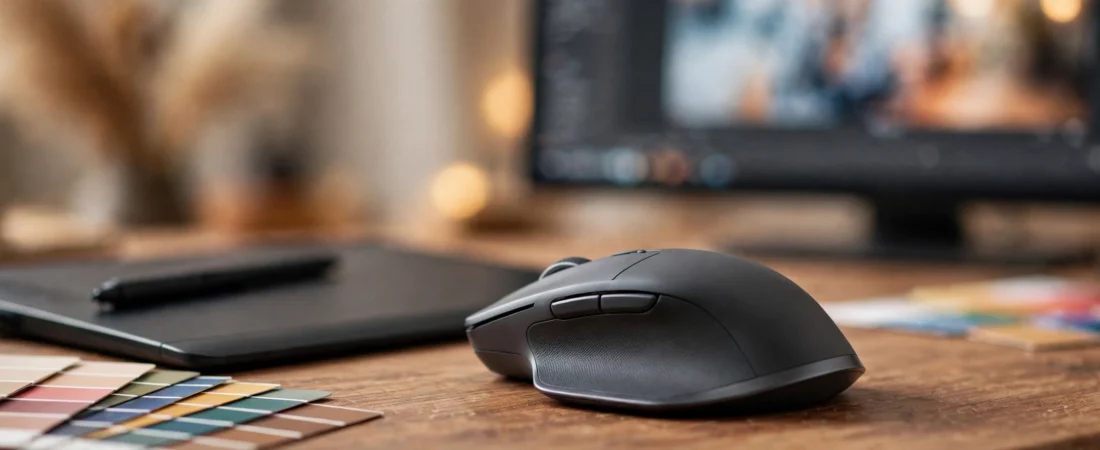
The best mouse for designers and video editors in India needs to survive thousands of precise clicks a day, constant scrolling through timelines and layers, and hours of fine cursor control in Photoshop, Illustrator, Premiere Pro, and After Effects. A regular office mouse can technically do this work, but a mouse built for creative workflows — with a precise high-DPI sensor, a fast smooth scroll wheel, and programmable buttons mapped to your most-used tools — genuinely speeds up the workday.
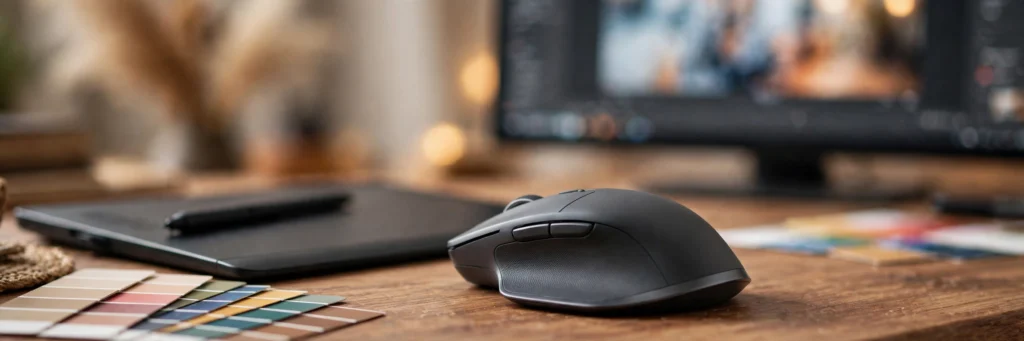
This guide compares the best mice for designers and video editors available in India in 2026, with Indian pricing, focusing on what creative work actually demands: precision, scrolling quality, customisation, and all-day comfort.
Quick Picks: Best Mouse for Designers and Video Editors in India at a Glance
- Best overall for creatives: Logitech MX Master 4 — ₹11,995
- Best value for creatives: Logitech MX Master 3S — ₹8,990
- Best portable for travelling editors: Logitech MX Anywhere 3S — ₹5,299
- Best vertical ergonomic: Logitech Lift — ₹5,995
- Best full-size vertical: Logitech MX Vertical — ₹7,495
- Best budget creative mouse: Anker Vertical Wireless — ₹2,499
Prices are approximate street prices on Amazon.in and Flipkart as of October 2026.
What Creative Work Demands From a Mouse
Precision on High-Resolution Displays
Indian designers increasingly work on 1440p and 4K monitors, where a 1,000 DPI office sensor feels coarse. Look for 4,000+ DPI with a quality sensor — not for gaming speed, but for smooth, pixel-accurate slow movement when masking in Photoshop or keyframing in After Effects.
Scroll Wheel Quality Matters More Than You Think
Creative work is scrolling work: timelines, layer stacks, long documents, code-adjacent panels. A free-spinning, high-resolution scroll wheel (like Logitech’s MagSpeed) that flies through a 2-hour Premiere timeline and then stops precisely is a genuine productivity feature. Add a thumb wheel for horizontal timeline scrubbing and you have the creative ideal.
Programmable Buttons Save Hours
Mapping undo, brush size, zoom, blade/razor tool, or copy-paste to mouse buttons eliminates thousands of keyboard trips per week. Mice with per-app profiles (different button layouts for Photoshop vs Premiere vs your browser) are worth real money to working creatives.
Comfort Is a Work Tool
Wrist and forearm strain is an occupational hazard for designers. A sculpted ergonomic shape — or a vertical mouse — that lets you work pain-free through deadline weeks is not a luxury; it protects your ability to earn.
1. Logitech MX Master 4 — Best Overall Mouse for Designers and Video Editors
Price: Around ₹11,995 | DPI: 8,000 | Battery: Up to 70 days (USB-C) | Connection: Bluetooth + Logi Bolt | Multi-device: 3 devices
The MX Master 4 is the creative professional’s default for good reason. The 8,000 DPI sensor tracks on virtually any surface including glass, the MagSpeed wheel now adds haptic feedback for precise ratchet control, and the thumb wheel is perfect for horizontal timeline scrubbing in Premiere and After Effects. Seven customisable buttons with per-app profiles mean your Photoshop layout, your Premiere layout, and your Figma layout can all differ — set once in Logi Options+, forgotten forever.
The sculpted right-handed shape supports the palm through 10-hour deadline days, and silent clicks keep shared studios peaceful. It is expensive, but for a working designer or editor it pays for itself in comfort and speed.
Buy it if: design or editing is your profession and you want the best tool available.
Skip it if: you are a hobbyist — the 3S below gives you 90% of the experience for less.
2. Logitech MX Master 3S — Best Value Mouse for Creatives
Price: Around ₹8,990 | DPI: 8,000 | Battery: Up to 70 days (USB-C) | Connection: Bluetooth + Logi Bolt | Multi-device: 3 devices
The previous flagship remains the smartest creative buy in India. You get the same 8,000 DPI sensor, the same MagSpeed wheel, the same per-app customisation, and the same comfortable shape as the Master 4. What you lose is haptic feedback on the wheel and some refinement — meaningful, but not ₹3,000 meaningful for most users.
For freelance designers and YouTubers building their first serious editing setup, this is the sweet spot: flagship creative features at a mid-premium price.
Buy it if: you want pro creative features without the flagship price.
Skip it if: you specifically want haptic scroll feedback or the very latest sensor tuning.
3. Logitech MX Anywhere 3S — Best Portable Mouse for Travelling Editors
Price: Around ₹5,299 | DPI: 8,000 | Battery: Up to 70 days (USB-C) | Connection: Bluetooth + Logi Bolt | Multi-device: 3 devices
Wedding videographers, travelling photographers, and creators who edit on location need precision in a bag-friendly package. The Anywhere 3S delivers the 8,000 DPI Darkfield sensor — which tracks on glass café tables and hotel desks where other mice fail — plus quiet clicks, app profiles, and USB-C charging in a compact body.
It is not a full-day desk mouse for large hands, but as the mouse that lives in your camera bag or laptop sleeve, it is unmatched.
Buy it if: you edit on the move — shoots, cafes, co-working spaces.
Skip it if: you work at one desk all day — the Master series fits better.
4. Logitech Lift — Best Vertical Mouse for Designers With Wrist Pain
Price: Around ₹5,995 | DPI: 4,000 | Battery: Up to 24 months (AA) | Connection: Bluetooth + Logi Bolt
Creative careers are long, and wrist health is career health. The Lift’s 57-degree vertical “handshake” posture keeps the forearm neutral through long retouching and editing sessions, and unlike cheap vertical mice it does not compromise on the features creatives need: 4,000 DPI, quiet clicks, SmartWheel scrolling, and full Logi Options+ customisation with per-app profiles.
It suits small to medium hands; large-handed users should consider the MX Vertical below. Expect a few days of adjustment — most users never go back.
Buy it if: you feel wrist or forearm strain after long creative sessions.
Skip it if: you have large hands or do precision illustration work where a conventional grip feels more controlled.
5. Logitech MX Vertical — Best Full-Size Vertical Mouse for Creatives
Price: Around ₹7,495 | DPI: 4,000 | Battery: Up to 4 months (USB-C rechargeable) | Connection: Bluetooth + Unifying receiver
The bigger sibling of the Lift: a full-size vertical mouse with a 57-degree angle, 4,000 DPI sensor, and premium build. It suits medium to large hands that find the Lift too small, and it keeps the features that matter — precise tracking, comfortable thumb rest with two customisable buttons, and cross-computer Flow support.
The rechargeable battery (USB-C) lasts months per charge. It is a niche pick, but for large-handed designers battling RSI, it is the best vertical option with a full feature set.
Buy it if: you want vertical ergonomics and have medium-to-large hands.
Skip it if: you have small hands (get the Lift) or want maximum portability.
6. Anker Vertical Wireless — Best Budget Creative Mouse
Price: Around ₹2,499 | DPI: 1,600 | Battery: 2xAAA | Connection: 2.4GHz USB receiver
Not every creative can spend ₹9,000 on a mouse, and the Anker vertical is the honest budget answer. The ergonomic vertical shape genuinely helps with wrist strain, 1,600 DPI is adequate for 1080p and 1440p work, and the five-button layout covers the basics. It is widely available in India and has a decent track record in reviews.
The sensor and switches are not in Logitech’s league — precision illustrators will notice — but for graphic design students, beginner video editors, and anyone testing whether vertical ergonomics suits them, it is a low-risk entry point.
Buy it if: you are a student or beginner wanting ergonomic comfort on a budget.
Skip it if: you do pixel-precise professional work — save for the MX Master 3S.
Do You Need a Drawing Tablet Instead?
A common question from illustrators and photo retouchers: mouse or pen tablet? For photo editing, digital painting, and illustration, a Wacom or XP-Pen tablet is genuinely better — pressure sensitivity changes the work. But for video editing, motion graphics, UI design, and general creative production, a great mouse beats a tablet for speed. Many professionals use both: tablet for brush work, mouse for everything else. This guide covers the mouse half of that setup.
Buying Checklist for Creative Mice
- Sensor: 4,000+ DPI from a reputable sensor maker (Logitech’s Darkfield, Razer’s Focus series). Ignore inflated “16,000 DPI” claims on cheap mice.
- Scroll system: Free-spin + ratchet modes and, ideally, a thumb wheel for timelines.
- Buttons: At least 5–7 programmable buttons with per-app profiles.
- Comfort: Sculpted or vertical shape matched to your hand size — try before committing if possible.
- Connection: Bluetooth for laptops (no dongle), or a low-latency 2.4GHz receiver for desktops.
- Software: Check that the companion app (Logi Options+, Razer Synapse) supports your OS — macOS support matters for Mac-based creatives.
Comparison Table: Best Mice for Designers & Video Editors in India
| Mouse | Best For | DPI | Key Feature | Approx. Price |
|---|---|---|---|---|
| Logitech MX Master 4 | Overall best | 8,000 | Haptic MagSpeed, app profiles | ₹11,995 |
| Logitech MX Master 3S | Value pro pick | 8,000 | Same sensor, lower price | ₹8,990 |
| Logitech MX Anywhere 3S | Travel editing | 8,000 | Glass tracking, compact | ₹5,299 |
| Logitech Lift | Wrist pain (S/M hands) | 4,000 | 57° vertical, 24-mo battery | ₹5,995 |
| Logitech MX Vertical | Wrist pain (L hands) | 4,000 | Full-size vertical | ₹7,495 |
| Anker Vertical | Budget ergonomic | 1,600 | Cheap vertical entry | ₹2,499 |
Frequently Asked Questions
Which mouse is best for graphic designers in India?
The Logitech MX Master 3S (around ₹8,990) is the best value — 8,000 DPI precision, per-app button profiles for Photoshop and Illustrator, and all-day comfort. Professionals who want the latest should step up to the MX Master 4 (around ₹11,995).
Which mouse is best for video editing?
Video editors benefit most from a fast scroll wheel and a thumb wheel for timeline scrubbing — the MX Master 4 and 3S both excel here, with per-app profiles for Premiere Pro, DaVinci Resolve, and After Effects. Travelling editors should look at the MX Anywhere 3S.
Is a vertical mouse good for designers?
For designers with wrist or forearm strain, yes — vertical mice like the Logitech Lift keep the forearm in a neutral posture. They take a few days to adjust to, and precision illustrators may still prefer a conventional mouse for fine control.
Do I need a high DPI mouse for design work?
Higher than office mice, yes — 4,000+ DPI gives smoother, more precise control on 1440p and 4K displays. But sensor quality matters more than the maximum DPI number; a good 4,000 DPI sensor beats a cheap “16,000 DPI” one.
Should illustrators buy a mouse or a drawing tablet?
For illustration and digital painting, a pen tablet (Wacom, XP-Pen) is better because of pressure sensitivity. For video editing, motion graphics, and UI design, a great mouse is faster. Many professionals use both.
Where can I buy these mice in India with warranty?
Amazon.in and Flipkart (official brand stores or fulfilled listings), plus Croma and Reliance Digital for in-hand trials. Logitech India offers solid after-sales service across major cities.
Conclusion
Creative work rewards the right mouse more than almost any other profession. Working designers and editors should invest in the Logitech MX Master 3S or Master 4 — the precision, scrolling, and app profiles genuinely speed up real workflows. If wrist pain is the problem, the Logitech Lift is the fix; if you edit on the move, the Anywhere 3S is the companion. Match the mouse to your work, not to the spec sheet, and your hands will thank you through every deadline.