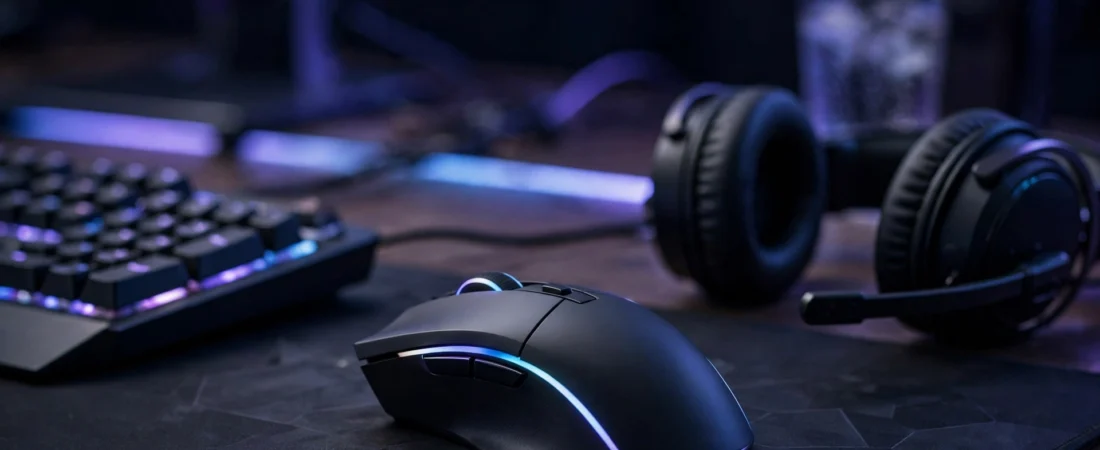
In first-person shooter games, your mouse is not just an accessory — it is your aim. A fraction of a second in flick speed, a slightly heavy shell, or a sensor that spins out during a fast swipe can be the difference between a headshot and a missed shot. That is why competitive players in India, from Valorant ranked grinders to Counter-Strike 2 regulars, take their mouse choice seriously.
This guide covers the best FPS gaming mouse options available in India, what actually matters for shooter games, and how to pick one that suits your hand, grip and budget. Prices mentioned are approximate street prices in India at the time of writing and can vary with sales on Amazon India, Flipkart and brand stores.
What Makes a Mouse Good for FPS Games?
Not every gaming mouse is a good FPS mouse. MMO mice with twelve side buttons and heavy RGB-laden shells are built for a different job. For shooters, the priorities are narrower and more specific.
1. Lightweight Design
Most competitive FPS mice today weigh between 45 and 75 grams. A lighter mouse is easier to flick, easier to stop precisely, and less tiring during long sessions. If you play with a low sensitivity and make big arm movements, weight matters even more. Anything under 80 grams is a good target; under 60 grams is excellent.
2. A Flawless Sensor
Modern gaming sensors from major brands are all very good, but for FPS play you want a sensor with no acceleration, no angle snapping, and no spin-out at high speeds. Look for mice advertised with high IPS (inches per second) tracking and a high maximum DPI — though in practice, most FPS players actually play at 400 to 1600 DPI. The sensor’s consistency matters far more than its maximum DPI number.
3. High Polling Rate
Polling rate is how often the mouse reports its position to your PC. Standard mice report 1000 times per second (1000 Hz). Some newer esports mice offer 4000 Hz or even 8000 Hz wireless polling. The difference is subtle but real at a competitive level: higher polling gives smoother tracking and slightly lower latency. Note that very high polling rates can use more CPU, so make sure your PC can handle it.
4. Shape and Grip
Shape is personal and it matters more than brand. A mouse that fits your hand and grip style — palm, claw or fingertip — will always beat a technically better mouse that feels wrong. FPS players tend to prefer medium-sized, symmetrical or mildly ergonomic shapes with unobtrusive side buttons that do not get in the way.
5. Click Quality
Crisp, light main clicks help with fast tapping and counter-strafing. Optical or mechanical switches both work well; what matters is a consistent, light actuation without mushiness or accidental double-clicks.
Best FPS Gaming Mouse Picks in India
Here are the strongest FPS-focused options you can actually buy in India, grouped by budget.
Budget Pick: Lightweight Esports Mice Around ₹2,000–₹4,000
If you are starting out in competitive shooters, you do not need to spend a fortune. Several well-known esports mice sit in the approximate ₹2,000–₹4,000 range in India. These typically offer a proven sensor, a sub-75-gram body, and a safe symmetrical shape that suits claw and fingertip grips. Look for wired models in this range if you want the best sensor for the money, and check that the mouse is sold by an authorised seller so warranty claims are smooth.
For Valorant and CS2 players on a budget, a wired lightweight mouse in this bracket is often the smartest buy. You get 90 percent of the performance of a flagship for a third of the price, and you can spend the savings on a good mouse pad — which matters just as much for aim consistency.
Mid-Range Pick: Wireless Esports Mice Around ₹5,000–₹9,000
This is the sweet spot for serious FPS players in India. Mice in the approximate ₹5,000–₹9,000 range typically offer true wireless connectivity with latency equal to wired, battery life measured in many dozens of hours, and weights under 65 grams. Many also support higher polling rates over wireless, and some include a charging dock or a USB extender for a clean desk setup.
If you play daily ranked games, wireless is worth it in this bracket. There is no cable drag, no cable management to worry about, and modern wireless gaming mice are so reliable that professional players use them in tournaments. Just keep the receiver close to the mouse — use the included extender or a front USB port — for the most stable connection.
Premium Pick: Flagship Esports Mice Around ₹10,000–₹16,000
Flagship FPS mice in the approximate ₹10,000–₹16,000 range in India are aimed at players who want the absolute lightest body, the newest sensor, and 4000 Hz or 8000 Hz polling. These mice often weigh under 50 grams and come with premium features like PTFE feet, grip tape in the box, and software for fine-tuning lift-off distance and DPI steps.
Are they worth it? For most players, the jump from a good mid-range mouse to a flagship is small. But if you compete, stream, or simply want the best tool available, flagships deliver a noticeably refined feel — especially the combination of ultra-light weight and high polling rate, which makes micro-adjustments feel exceptionally smooth.
FPS Mouse Buying Guide: Matching the Mouse to Your Play Style
Low Sensitivity vs High Sensitivity Players
Low sensitivity players (for example, 400 DPI with a large in-game sensitivity multiplier that gives a long cm-per-360 distance) make big arm movements and need a light mouse with excellent glide. Prioritise weight and a large mouse pad. High sensitivity players make smaller wrist movements and can tolerate slightly heavier mice, but still benefit from a shape that supports precise fingertip control.
Grip Styles Explained
Palm grip: Your whole hand rests on the mouse. You generally want a longer, slightly taller mouse with a comfortable hump. Claw grip: Your palm touches the back and your fingers arch. Medium mice with a defined hump work well. Fingertip grip: Only your fingertips touch the mouse. Small, light, symmetrical mice are usually best. If you are unsure of your grip, a medium symmetrical mouse is the safest starting point because it suits all three grips reasonably well.
Wired vs Wireless for FPS
Wired mice are cheaper, never need charging, and are slightly lighter in some cases because they have no battery. Wireless mice remove cable drag entirely and are now just as fast. For FPS gaming in 2026, wireless is no longer a compromise — it is a preference. Choose wired if your budget is tight or you dislike charging; choose wireless if you value a clean setup and the smoothest possible glide.
Do Not Forget the Mouse Pad
Your mouse is only half the aiming system. A worn-out or tiny pad will hold back even the best sensor. For FPS games, a large cloth pad (roughly 450 mm wide or more) gives you room for low-sensitivity swipes and consistent friction. Speed pads feel slicker; control pads feel more textured and stop faster. Either is fine — consistency matters more than type.
Common Mistakes When Buying an FPS Mouse
Buying on DPI alone: A 26,000 DPI number tells you almost nothing about how the mouse will aim. Sensor consistency, weight and shape matter far more. Copying a pro’s exact mouse: Pro players choose mice for their hand size and grip. Their mouse may feel terrible in your hand. Ignoring hand size: Measure your hand from wrist to middle fingertip. Hands under 17 cm usually suit small to medium mice; 17–19 cm suit medium mice; over 19 cm suit medium-large mice. Skipping the return window: Buy from a seller with a clear return policy and test the mouse for a few days before committing.
Setting Up Your New FPS Mouse
Once you buy, set Windows pointer speed to the middle notch (6/11) and turn off “Enhance pointer precision” — this keeps your aim raw and consistent. Set your mouse DPI to 400 or 800, then adjust in-game sensitivity so a full 360-degree turn feels comfortable. Stick with one sensitivity for at least a few weeks; constantly changing it is the fastest way to ruin your muscle memory. Finally, set a polling rate your PC handles comfortably — 1000 Hz is fine for most players, while 4000 Hz or higher suits high-refresh-rate setups.
Frequently Asked Questions
What is the best FPS gaming mouse in India for Valorant?
For Valorant, a lightweight wireless or wired esports mouse under 70 grams with a proven sensor is ideal. Mid-range wireless models in the approximate ₹5,000–₹9,000 range offer the best balance of weight, battery life and performance for most Indian players, while budget wired models around ₹2,000–₹4,000 are excellent starting points.
Is wireless good enough for competitive FPS games?
Yes. Modern wireless gaming mice have latency equal to or lower than many wired mice, and professional players use them in tournaments. Keep the receiver close to the mouse and keep the battery charged for the most reliable performance.
What DPI should I use for CS2 and Valorant?
Most competitive players use 400 or 800 DPI with a low in-game sensitivity. The exact number matters less than consistency — pick one setting, practise with it, and avoid changing it frequently.
Does a higher polling rate really help in FPS games?
Higher polling rates (4000 Hz or 8000 Hz) make tracking slightly smoother and reduce latency by a small amount. The difference is most noticeable on high-refresh-rate monitors (240 Hz and above). For most players on 144 Hz or 165 Hz displays, 1000 Hz is perfectly fine.
How much should I spend on an FPS mouse in India?
Budget around ₹2,000–₹4,000 for a strong starter mouse, ₹5,000–₹9,000 for a serious wireless esports mouse, and ₹10,000 or more only if you want flagship weight and polling rates. Spend the rest of your aiming budget on a large, quality mouse pad.
Conclusion
The best FPS gaming mouse in India is the one that disappears in your hand: light enough to flick without effort, shaped to your grip, and consistent enough that you stop thinking about hardware and start thinking about the game. Start with your hand size and grip style, pick a budget bracket, and choose a proven esports mouse within it. Pair it with a large cloth pad, lock in one sensitivity, and give yourself time to build muscle memory. That combination — far more than any single specification — is what actually improves your aim in Valorant, CS2 and Apex Legends.