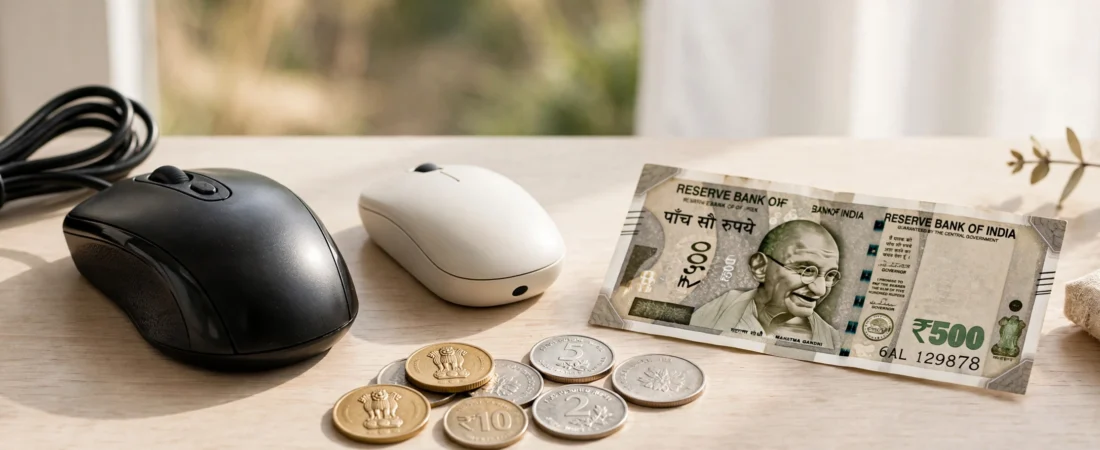
Best mouse under 500 in India is the most competitive mouse budget — and the most dangerous. For every honest budget mouse from HP or Dell, there are a dozen no-name mice that double-click within three months. This guide separates the two. Every pick below is from a brand with a real service network in India, is widely available on Amazon.in and Flipkart, and is priced under ₹500 as of October 2026 (street prices move a little during sales).
Quick Picks: Best Mouse Under 500 in India at a Glance
- Best overall under ₹500: HP X200 Wireless — around ₹499
- Best wired under ₹500: Dell MS116 — around ₹349
- Best for students: Logitech B100 — around ₹449
- Best compact wireless: Zebronics Zeb-Dazzle — around ₹449
- Best for office bulk buying: HP X500 Wired — around ₹399
- Best ambidextrous pick: Lenovo 300 Wired — around ₹449
What You Can (and Can’t) Expect Under ₹500
At this price, be realistic. You get a reliable optical sensor (1,000–1,600 DPI), three buttons, and a scroll wheel. You do not get silent clicks, rechargeable batteries, Bluetooth multi-device pairing, or gaming-grade sensors. What you should demand, even at ₹349, is: accurate tracking on a desk or mouse pad, buttons that don’t double-click in six months, and a brand that will honour the warranty. Every pick below clears that bar.
1. HP X200 Wireless — Best Overall Mouse Under ₹500
Price: Around ₹499 | DPI: 1,600 | Connection: 2.4GHz USB receiver | Battery: 1xAA (up to 12 months)
The X200 is the wireless mouse to beat at this price. The 1,600 DPI sensor tracks smoothly on most desk surfaces, the contoured shape suits small and medium hands, and HP claims up to 12 months on a single AA battery — realistic if you switch it off at night. The nano receiver stores inside the mouse, which matters if you carry it with a laptop.
Buy it if: you want wireless freedom at the lowest sane price.
Skip it if: you have large hands — the body is compact.
2. Dell MS116 — Best Wired Mouse Under ₹500
Price: Around ₹349 | DPI: 1,000 | Connection: USB wired | Cable: 1.8 m
The MS116 is the mouse Indian IT departments buy by the thousand, and that is the strongest endorsement a budget mouse can get. It is a simple, tough, three-button wired mouse that survives years of daily office abuse. No batteries, no dongle, no pairing — plug it in and it works, forever.
Buy it if: your mouse never leaves one desk and you want zero maintenance.
Skip it if: cable clutter bothers you or you use a laptop on the move.
3. Logitech B100 — Best Budget Mouse for Students
Price: Around ₹449 | DPI: 800 | Connection: USB wired | Cable: 1.8 m
Logitech’s entry-level wired mouse is a student favourite: ambidextrous shape (left-handers, take note), plug-and-play on Windows, macOS, ChromeOS and Linux, and Logitech’s service network across India. The 800 DPI sensor is basic but fine for documents, browsing and online classes.
Buy it if: you want a dependable wired mouse for study or a home PC.
Skip it if: you work on a high-resolution monitor — 800 DPI feels slow there.
4. Zebronics Zeb-Dazzle — Best Compact Wireless Under ₹500
Price: Around ₹449 | DPI: 1,600 (adjustable) | Connection: 2.4GHz USB receiver | Battery: 1xAA
An Indian brand that understands Indian buyers: the Zeb-Dazzle offers adjustable DPI (800/1,200/1,600), a compact travel-friendly body, and a receiver that tucks into the mouse. Zebronics has service centres in most Indian cities, which most no-name imports cannot match.
Buy it if: you want a small wireless mouse for a laptop bag.
Skip it if: you prefer a full-size palm grip.
5. HP X500 Wired — Best for Bulk Office Buying
Price: Around ₹399 | DPI: 1,200 | Connection: USB wired
The wired counterpart to the X200: a comfortable, slightly larger body than the Dell MS116, 1,200 DPI tracking, and HP’s warranty backing. Offices equipping 20–200 desks at this price usually shortlist this and the MS116 — pick whichever your hand prefers; both are proven.
Buy it if: you are equipping a desk or an office on a strict budget.
Skip it if: you want wireless — step up to the X200.
6. Lenovo 300 Wired — Best Ambidextrous Budget Mouse
Price: Around ₹449 | DPI: 1,600 | Connection: USB wired
A clean, symmetrical design that works in either hand, with a slightly higher 1,600 DPI sensor than most wired rivals at this price. A good pick for shared family PCs and left-handed users who are tired of right-handed shapes.
Buy it if: you are left-handed or share the mouse with family.
Skip it if: you want an ergonomic sculpted shape.
Comparison Table: Best Mice Under ₹500 in India
| Mouse | Type | DPI | Connection | Approx. Price |
|---|---|---|---|---|
| HP X200 | Wireless | 1,600 | 2.4GHz USB | ₹499 |
| Dell MS116 | Wired | 1,000 | USB | ₹349 |
| Logitech B100 | Wired | 800 | USB | ₹449 |
| Zebronics Zeb-Dazzle | Wireless | 1,600 | 2.4GHz USB | ₹449 |
| HP X500 | Wired | 1,200 | USB | ₹399 |
| Lenovo 300 | Wired | 1,600 | USB | ₹449 |
How to Make a ₹500 Mouse Last
Budget mice die early mostly from neglect, not build quality. Three habits double their life: (1) use a mouse pad — bare desks and glass wear out the sensor and feet; (2) for wireless models, switch the mouse off overnight to save battery and switch wear; (3) clean the sensor lens and scroll wheel monthly with a dry cotton bud — Indian dust is the number-one cause of erratic tracking and sticky wheels.
Frequently Asked Questions
Which is the best mouse under ₹500 in India?
The HP X200 Wireless (around ₹499) is the best overall — reliable 1,600 DPI tracking, long battery life, and HP warranty support. If you prefer wired, the Dell MS116 (around ₹349) is the toughest budget mouse in India.
Is a wireless mouse under ₹500 worth it?
Yes, if you buy a branded one. HP, Zebronics and Portronics wireless mice under ₹500 use standard 2.4GHz receivers with no noticeable lag for office and study work. Avoid unbranded imports — their receivers and switches fail first.
Wired or wireless under ₹500 — which lasts longer?
Wired, usually. A wired mouse has no battery to replace and fewer parts to fail; the Dell MS116 and HP X500 routinely last 3–5 years. Wireless budget mice typically last 2–3 years with battery changes.
Can I game with a mouse under ₹500?
Casual gaming, yes; competitive gaming, no. These sensors (800–1,600 DPI, standard polling) handle everyday games fine, but FPS players should budget ₹1,000+ for a proper gaming mouse with a higher polling rate.
Do these mice work with laptops and MacBooks?
Yes. Wired models plug into any USB-A port (USB-C-only laptops need a small adapter). Wireless models use a USB-A nano receiver — the same adapter note applies to newer MacBooks.
Where should I buy a budget mouse in India?
Amazon.in and Flipkart (from official brand stores or fulfilled listings) for the best prices and easy returns, or Croma/Reliance Digital if you want to hold the mouse before buying. Always check the seller — budget mice are commonly counterfeited.
Conclusion
Under ₹500, the winning move is boring: buy a branded mouse. The HP X200 is the wireless pick, the Dell MS116 is the wired workhorse, and the Logitech B100 is the student-safe choice. Spend the money you saved on a decent mouse pad, and even a ₹349 mouse will serve you for years.