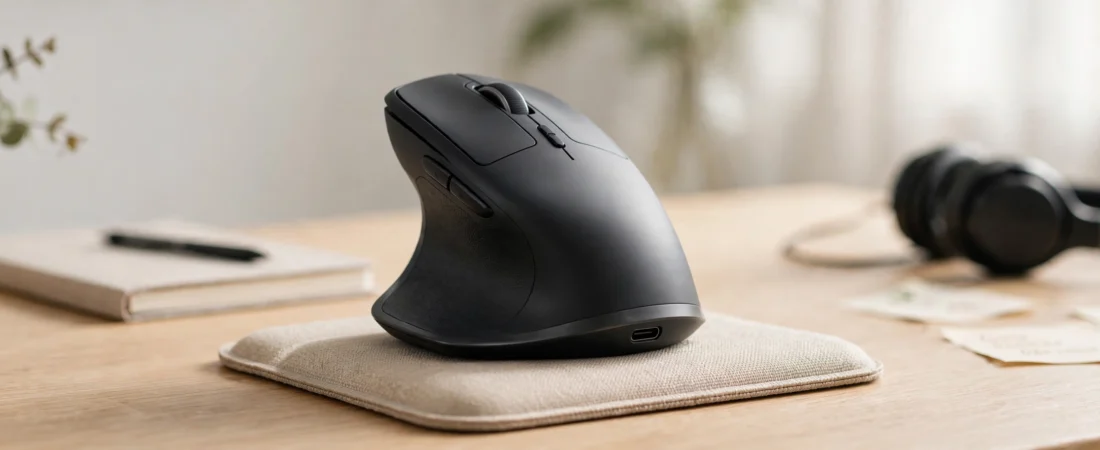
If you’re hunting for the best ergonomic mouse in India, know this: your wrist pain might be caused by your mouse. If your wrist aches by evening, your forearm feels stiff, or your fingers tingle after long days at the computer, your mouse may be part of the problem. A standard flat mouse forces your hand into a palm-down position that twists the forearm — hour after hour, day after day, that adds up to real repetitive strain.
An ergonomic mouse changes the geometry: vertical mice hold your hand in a natural “handshake” position, while sculpted contoured mice support your palm so muscles stay relaxed. This guide covers the best ergonomic mouse in India available in 2026, with Indian pricing, who each one suits, and practical desk habits that reduce wrist strain alongside the right hardware.
Note: this article is for general information, not medical advice. If you have persistent pain, numbness, or tingling, consult an orthopaedic doctor or physiotherapist.
Quick Picks
- Best premium ergonomic mouse: Logitech MX Vertical — ~₹9,000
- Best for small/medium hands: Logitech Lift — ~₹6,000
- Best budget vertical mouse: Zebronics Zeb-Jaguar V — under ₹2,000
- Best budget vertical (rechargeable): TECKNET Ergonomic Vertical Mouse — budget-friendly
- Best sculpted all-rounder: Logitech MX Master 3S — ~₹8,990
- Best affordable contoured mouse: Logitech Signature M650 (Large) — ~₹2,349
Prices are approximate Indian street prices as of October 2026 and change frequently during sales. If you’re comparing the best ergonomic mouse in India, check live prices before buying.
Why a Normal Mouse Hurts Your Wrist
Using a conventional mouse keeps your forearm pronated — twisted palm-down — for hours. That sustained twist loads the muscles and tendons of the forearm and increases pressure around the wrist’s nerves and tendons. Over months and years, this contributes to repetitive strain injury (RSI), tendonitis, and carpal tunnel symptoms: aching wrists, stiff forearms, tingling fingers, and pain that worsens at night.
A vertical ergonomic mouse rotates your grip about 57 degrees into a handshake posture. The forearm stays near-neutral, the wrist stays straighter, and you move the cursor with the whole arm rather than pivoting at the wrist. It feels strange for the first few days — most users adapt within a week — and many long-hour computer users report meaningful relief.
The Best Ergonomic Mice in India
1. Logitech MX Vertical — Best Premium Ergonomic Mouse
Price: ~₹9,000 | Angle: 57° vertical | DPI: Up to 4,000 | Battery: Rechargeable (USB-C), up to 4 months | Connection: Bluetooth + USB receiver | Hand: Right
The MX Vertical is the benchmark ergonomic mouse, and the one doctors and physios mention most often. The 57-degree angle is the sweet spot researchers settled on — enough to neutralise the forearm without feeling like you are holding a joystick. Textured rubber grip, four customisable buttons, a precision scroll wheel, and three-device switching make it a genuine productivity tool, not just a medical device.
It is right-hand only and relatively large, so left-handed users and people with small hands should look at the Lift below. The price is premium, but for someone working through wrist pain, it is cheaper than physiotherapy.
Buy it if: you have wrist pain and want the most proven vertical mouse available in India.
Skip it if: you are left-handed or have small hands.
2. Logitech Lift — Best Ergonomic Mouse for Small to Medium Hands
Price: ~₹6,000 | Angle: 57° vertical | DPI: Up to 4,000 | Battery: Up to 24 months (AA) | Connection: Bluetooth + Logi Bolt receiver | Hand: Right (left-hand version exists globally)
The Lift takes everything good about the MX Vertical and repackages it for smaller hands — which, frankly, describes a large share of Indian users. Same 57-degree handshake angle, same comfortable rubberised grip, quiet clicks, and dual Bluetooth/Logi Bolt connectivity. The AA battery lasts up to two years, so charging is something you will do roughly never.
A left-handed version exists in Logitech’s global lineup; check Indian listings for availability before ordering if you need it.
Buy it if: the MX Vertical sounds right but feels too big; you have small or medium hands.
Skip it if: you have large hands — get the MX Vertical instead.
3. Zebronics Zeb-Jaguar V — Best Budget Vertical Mouse in India
Price: Typically under ₹2,000 | Design: Vertical wireless | DPI: Up to 1,600 (adjustable) | Connection: 2.4GHz + Bluetooth (dual-mode) | Buttons: 6
Not everyone can spend ₹6,000+ to test whether a vertical mouse suits them. The Zebronics Zeb-Jaguar V is the sensible Indian budget entry: a proper vertical handshake design, dual-mode 2.4GHz and Bluetooth connectivity (handy for laptop + desktop setups), adjustable DPI up to 1,600, and six buttons — at a price where trying the vertical concept is low-risk.
Expectations should be honest: the sensor and plastics are not Logitech-grade, and 1,600 DPI is modest. But as a first vertical mouse, or for moderate daily use, it delivers the core ergonomic benefit — the handshake posture — at roughly a fifth of the premium price.
Buy it if: you want to try a vertical mouse without a big investment.
Skip it if: you need high-precision tracking for design work or already know you want the premium experience.
4. TECKNET Ergonomic Vertical Mouse — Best Rechargeable Budget Option
Price: Budget-friendly (check live Indian listings) | Design: Vertical, 6-button | DPI: Adjustable (multiple levels) | Connection: 2.4GHz + Bluetooth | Battery: Rechargeable
TECKNET’s vertical mouse is another wallet-friendly way into ergonomic computing, and it is stocked by Indian retailers. The pitch is straightforward: handshake-position grip to reduce forearm twisting, silent clicks (useful in shared offices), dual-mode wireless, and a rechargeable battery so you are not buying AAs. It supports Windows, macOS, and Linux with plug-and-play setup.
As with all budget vertical mice, treat it as an ergonomic trial or a secondary mouse rather than a ten-year investment.
Buy it if: you want a rechargeable vertical mouse at a budget price with silent clicks.
Skip it if: you need premium build quality or high-DPI precision.
5. Logitech MX Master 3S — Best Sculpted (Non-Vertical) Ergonomic Mouse
Price: ~₹8,990 | DPI: 8,000 | Battery: Rechargeable, up to 70 days (USB-C) | Connection: Bluetooth + Logi Bolt receiver
Not everyone can adapt to a vertical mouse — and some workplaces frown at unusual-looking hardware. The MX Master 3S is the best conventional-shaped alternative: its deep sculpted body fills the palm so your hand rests in a relaxed, open posture instead of clawing a flat pebble. Quiet clicks, the MagSpeed scroll wheel, and three-device switching complete a superb all-day work mouse.
If vertical mice feel too strange but your wrist still complains, a large sculpted mouse like this is the middle path.
Buy it if: you want maximum comfort without switching to a vertical design.
Skip it if: your pain specifically comes from forearm pronation — only a vertical mouse fixes that angle.
6. Logitech Signature M650 (Large) — Best Affordable Contoured Mouse
Price: ~₹2,349 | DPI: Up to 4,000 | Battery: Up to 24 months (AA) | Connection: Bluetooth + Logi Bolt receiver
For buyers who want ergonomic comfort on a normal budget, the M650 in the Large size is the pick — the bigger shell supports more of the palm, which is the whole point. Silent clicks, a SmartWheel that toggles between ratcheted and free-spinning scroll, and a two-year battery make it a genuinely pleasant daily driver.
It will not fix pronation-related pain the way a vertical mouse does, but for general comfort and fatigue reduction at this price, little beats it.
Buy it if: you want a comfortable, quiet, affordable mouse for long workdays.
Skip it if: you have diagnosed RSI symptoms — consider a true vertical mouse instead.
Vertical vs Contoured: Which Ergonomic Mouse Do You Need?
| Vertical mouse | Sculpted/contoured mouse | |
|---|---|---|
| Wrist angle | Handshake position (~57°), forearm near-neutral | Palm-down, but hand rests relaxed and open |
| Adjustment period | 3–7 days of feeling strange | None — feels normal immediately |
| Precision work | Adequate; fine for office, less ideal for design | Excellent — full-size sensors and shapes |
| Examples | MX Vertical, Lift, Zeb-Jaguar V | MX Master 3S, Signature M650 (Large) |
Rule of thumb: if you already have pain, tingling, or stiffness, go vertical. If you are buying preventively for long workdays, a large sculpted mouse is enough.
7 Habits That Reduce Wrist Strain (Beyond the Mouse)
A mouse helps, but habits matter just as much:
- Keep your wrist straight and neutral. Do not bend it up, down, or sideways while mousing. Your forearm, wrist, and hand should form one straight line.
- Move from the arm, not the wrist. Glide the mouse with your whole forearm; avoid pivoting on the wrist like a joystick.
- Hold lightly. A death grip on the mouse keeps forearm muscles tensed all day. Consciously relax your hand every hour.
- Match your chair and desk height. Your elbow should sit at roughly 90 degrees with forearms parallel to the floor. In India’s WFH setups — dining tables and low chairs — a cushion or footrest often fixes more than any gadget.
- Take micro-breaks. Every 30–45 minutes, drop your hands, roll your wrists, and stretch your fingers for 30 seconds. Set a phone reminder until it becomes habit.
- Lower your sensitivity sensibly. Extremely high DPI forces tiny, tense wrist movements; a moderate DPI with arm movement is kinder to joints.
- Consider a wrist rest — correctly. A soft rest supports the heel of your palm between typing bursts, not a hard edge pressing into your wrist while you work.
Comparison Table
| Mouse | Type | Best For | DPI | Battery | Approx. Price |
|---|---|---|---|---|---|
| Logitech MX Vertical | Vertical 57° | Proven wrist-pain relief | 4,000 | 4 months (USB-C) | ~₹9,000 |
| Logitech Lift | Vertical 57° | Small/medium hands | 4,000 | 24 months (AA) | ~₹6,000 |
| Zebronics Zeb-Jaguar V | Vertical | Budget trial | 1,600 | Replaceable | Under ₹2,000 |
| TECKNET Vertical | Vertical | Budget rechargeable | Adjustable | Rechargeable | Budget |
| Logitech MX Master 3S | Sculpted | All-day comfort | 8,990 | 70 days (USB-C) | ~₹8,990 |
| Logitech Signature M650 (L) | Contoured | Affordable comfort | 4,000 | 24 months (AA) | ~₹2,349 |
Frequently Asked Questions
Do vertical mice really help with wrist pain?
For many users, yes. The handshake posture reduces forearm pronation — the twisting that loads wrist tendons during long computer sessions. Studies on ergonomic tools support the biomechanics, and vertical mice are widely recommended for RSI-prone users. They are not a cure, and persistent symptoms still deserve a doctor’s opinion.
How long does it take to get used to a vertical mouse?
Most people adapt within 3–7 days. Cursor control feels imprecise at first because your muscle memory is calibrated to a flat mouse. Give it a full work week before judging — switching back and forth during the adjustment period slows things down.
Which is the best ergonomic mouse in India for office work?
The Logitech MX Vertical (₹9,000) is the most proven choice for wrist pain. For smaller hands, the Logitech Lift (₹6,000) fits better. On a tight budget, the Zebronics Zeb-Jaguar V (under ₹2,000) lets you try the vertical concept affordably.
Can an ergonomic mouse cure carpal tunnel syndrome?
No. An ergonomic mouse can reduce strain and may relieve symptoms, but carpal tunnel syndrome is a medical condition. If you have numbness, tingling, or night pain, see an orthopaedic doctor or hand specialist — preferably before it becomes chronic.
Are vertical mice good for gaming?
Casual gaming is fine, but vertical mice are not designed for competitive FPS — the grip trades flick speed for joint comfort. Competitive gamers with wrist concerns usually pair a vertical mouse for work with a regular gaming mouse for play.
What is the right desk setup to avoid wrist pain?
Elbows at ~90°, forearms parallel to the floor, wrist straight and floating (not bent or resting on a hard desk edge), monitor at eye level, and micro-breaks every 30–45 minutes. Ergonomics is a system — the mouse is one part of it.
Conclusion
If your wrist already hurts, the Logitech MX Vertical (or the Lift for smaller hands) is the most proven fix you can buy in India. If you are experimenting on a budget, the Zebronics Zeb-Jaguar V delivers the core handshake-posture benefit for under ₹2,000. And if vertical mice feel too alien, a large sculpted mouse like the MX Master 3S or Signature M650 (Large) still meaningfully reduces fatigue. Pair the right mouse with straight wrists, sensible breaks, and a decent chair — your future self will thank you.