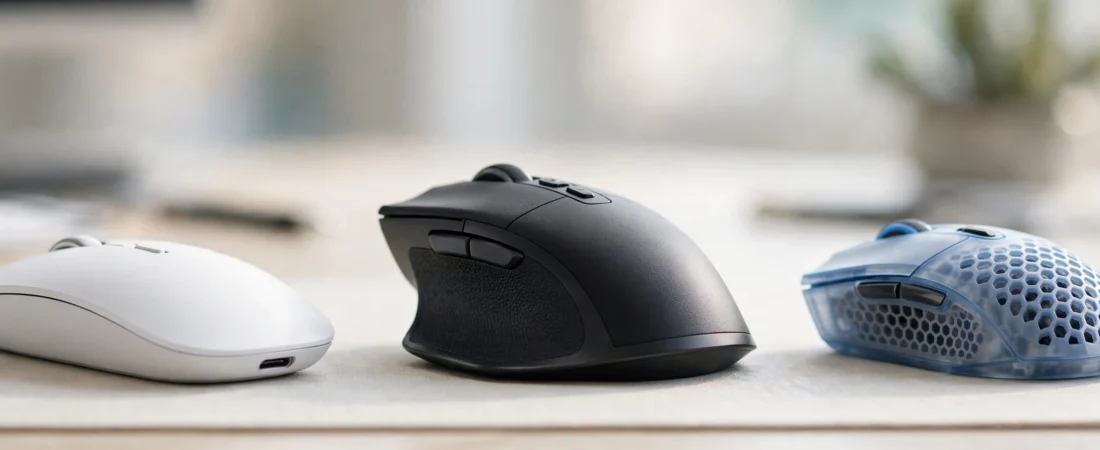
If you’re hunting for the best wireless mouse in India, know this: a good wireless mouse is one of those small upgrades that changes how your whole desk feels. No cable dragging across the table, no tangled wires in your laptop bag, and the freedom to work from the sofa when you feel like it. But walk into any online store in India and you will find hundreds of options ranging from ₹500 to ₹12,000 — and picking the wrong one means dealing with laggy cursors, dead batteries, or clicks loud enough to annoy everyone in the room.
This guide compares the best wireless mice actually available in India in 2026, with real Indian pricing in rupees, so you can pick the right one for your budget and your use case — whether that is office work, college assignments, or everyday browsing at home. Read on for our handpicked list of the best wireless mouse in India.
Table of Contents
Quick Picks: Best Wireless Mouse in India at a Glance
- Best overall (premium): Logitech MX Master 4 — ₹11,995
- Best value premium: Logitech MX Master 3S — ₹8,990
- Best for travel: Logitech MX Anywhere 3S — ₹5,299
- Best everyday office mouse: Logitech Signature M650 — ₹2,349
- Best multi-device mouse: Logitech M720 Triathlon — ₹5,495
- Best portable budget mouse: Logitech Pebble 2 M350S — ₹1,495
- Best budget silent mouse: Logitech M331 Silent Plus — ₹1,129
- Best budget multi-device mouse: Rapoo M650 — ₹999
Prices are approximate street prices on Amazon.in and Flipkart as of October 2026. Indian retail prices change frequently during sales, so check the live price before buying.
How We Selected These Mice
This is a research-based buying guide. We compared specifications from manufacturer listings, checked real Indian pricing across Amazon.in, Flipkart, and official brand stores, and weighed thousands of Indian user reviews for recurring complaints — dead scroll wheels, connection drops, and short battery life show up fast in reviews. We focused on what matters for daily use in India: connection reliability, battery or charging convenience, click noise (important for shared offices and hostels), comfort over long hours, and after-sales service availability in Indian cities. Our goal is simple: to help you find the best wireless mouse in India for your specific needs and budget.
1. Logitech MX Master 4 — Best Overall Wireless Mouse
Price: Around ₹11,995 | DPI: 8,000 | Battery: Rechargeable, up to 70 days (USB-C) | Connection: Bluetooth + Logi Bolt receiver | Multi-device: 3 devices
The MX Master 4 is the flagship of Logitech’s productivity line, and it earns that position. The sculpted shape fills an average adult palm beautifully, the MagSpeed scroll wheel flies through thousand-row spreadsheets, and the thumb wheel is genuinely useful for switching tabs or scrubbing video timelines. Silent clicks, an 8,000 DPI sensor that tracks even on glass, and the ability to hop between three devices with one button make it the complete package.
It is expensive, and at this price it should be. But if your mouse is the tool you touch for eight hours a day — designers, video editors, developers, analysts — this is the one purchase you will not regret.
Buy it if: you want the best and your budget allows it; you work long hours on a computer.
Skip it if: you mainly browse and type documents — the cheaper picks below will serve you fine.
2. Logitech MX Master 3S — Best Value Premium Mouse
Price: Around ₹8,990 | DPI: 8,000 | Battery: Rechargeable, up to 70 days (USB-C) | Connection: Bluetooth + Logi Bolt receiver | Multi-device: 3 devices
The 3S is the previous flagship, and it remains one of the smartest buys in the premium segment. You get the same comfortable sculpted shape, the same MagSpeed wheel, quiet clicks, and an 8,000 DPI sensor that works on glass. The main thing you give up versus the Master 4 is haptic feedback — nice to have, not essential.
At roughly ₹3,000 less than the Master 4, this is the sweet spot for buyers who want flagship comfort without paying for the very latest features.
Buy it if: you want a premium work mouse at a saner price.
Skip it if: you need something small and portable — this is a full-size desk mouse.
3. Logitech MX Anywhere 3S — Best Wireless Mouse for Travel
Price: Around ₹5,299 | DPI: 8,000 | Battery: Rechargeable, up to 70 days (USB-C) | Connection: Bluetooth + Logi Bolt receiver | Multi-device: 3 devices
If you work from cafes, client offices, or different rooms of the house, the Anywhere 3S is built for you. It packs the 8,000 DPI Darkfield sensor — which tracks on glass, a genuinely useful trick on glass-top tables — into a compact body that fits in a laptop sleeve. Quiet clicks, three-device switching, and USB-C charging round out a travel-friendly package.
The compact size is the trade-off: people with large hands may find it cramped for all-day use. Pair it with a full-size mouse at your main desk if you can.
Buy it if: you carry your mouse with your laptop daily.
Skip it if: you have large hands and work at one desk all day.
4. Logitech Signature M650 — Best Everyday Office Mouse
Price: Around ₹2,349 | DPI: Up to 4,000 | Battery: Up to 24 months (AA) | Connection: Bluetooth + Logi Bolt receiver | Multi-device: No (single device)
For most office workers, this is the sensible default. The M650 has a comfortable contoured shape, silent clicks that will not disturb colleagues in an open office, a SmartWheel that shifts between precise and fast scrolling, and a battery that lasts up to two years on a single AA cell. It comes in regular and large sizes, plus a left-handed version — rare attention to fit at this price.
It lacks multi-device switching, so if you juggle a laptop and a desktop, look at the M720 Triathlon or Rapoo M650 instead.
Buy it if: you want a comfortable, quiet, no-fuss office mouse.
Skip it if: you need to switch between multiple computers.
5. Logitech M720 Triathlon — Best Multi-Device Wireless Mouse
Price: Around ₹5,495 | DPI: 1,000 | Battery: Up to 24 months (AA) | Connection: Bluetooth + Unifying receiver | Multi-device: 3 devices
The M720 is the multi-tasker’s mouse. It connects to three devices and switches between them at the press of a button, works with Logitech’s Flow software to move your cursor (and even copy-paste) across computers, and runs up to two years on one AA battery. The full-size sculpted shape suits long workdays.
The 1,000 DPI sensor is modest by modern standards, but for office work, documents, and browsing it is perfectly adequate. Gamers and designers should look elsewhere.
Buy it if: you constantly switch between a laptop, desktop, or tablet.
Skip it if: you need high-DPI precision for design or gaming.
6. Logitech Pebble 2 M350S — Best Portable Budget Mouse
Price: Around ₹1,495 | DPI: 1,000 | Battery: Up to 24 months (AA) | Connection: Bluetooth + Logi Bolt receiver | Multi-device: 3 devices
The Pebble 2 is the slim, quiet, good-looking mouse students love. It is thin enough to slip into a notebook pocket, clicks silently (a blessing in libraries and lecture halls), switches between three devices, and comes in pleasant colours. Battery life of up to two years means you will probably lose the box before you change the battery.
The flat pebble shape is not the most ergonomic for eight-hour days, so treat it as a portable companion rather than your only mouse if you work long hours.
Buy it if: you are a student or carry your mouse everywhere; you want silent clicks on a budget.
Skip it if: you need an ergonomic shape for all-day desk work.
7. Logitech M331 Silent Plus — Best Budget Silent Mouse
Price: Around ₹1,129 | DPI: 1,000 | Battery: Up to 18 months (AA) | Connection: 2.4GHz USB receiver | Multi-device: No
Open offices, shared bedrooms, late-night study sessions — the M331 Silent Plus exists for exactly these situations. Its clicks are over 90% quieter than a standard mouse, the full-size contoured shape is comfortable, and the nano receiver is plug-and-play. At barely over a thousand rupees with an 18-month battery, it is one of the best value mice in India.
You only get the USB receiver connection (no Bluetooth), and there is no multi-device support. For a single computer at this price, that is a fair trade.
Buy it if: quiet clicking matters and your budget is tight.
Skip it if: you need Bluetooth or multi-device switching.
8. Rapoo M650 — Best Budget Multi-Device Mouse
Price: Around ₹999 | DPI: 1,300 | Battery: Up to 9 months (2xAA) | Connection: Bluetooth (multi-device) | Multi-device: 3 devices
The Rapoo M650 is the standout budget pick: silent clicks, Bluetooth multi-device switching for three devices, and a comfortable shape — all for under ₹1,000. For students and home users juggling a laptop, tablet, and phone, nothing else at this price does all three.
Battery life (around 9 months) trails Logitech’s best, and Rapoo’s after-sales network in India is smaller than Logitech’s. Buy from a reputable seller so warranty claims stay simple.
Buy it if: you want multi-device and silent clicks for under ₹1,000.
Skip it if: you want the longest battery life or the widest service network.
Wireless Mouse Buying Guide: What to Check Before You Buy in India
Bluetooth vs 2.4GHz USB Receiver
Bluetooth saves a USB port and means no dongle to lose — ideal for laptops and tablets. A 2.4GHz receiver usually gives a slightly more stable, lower-latency connection, which matters for gaming and older desktops without Bluetooth. Many of the best mice offer both, which is the most flexible option.
How Much DPI Do You Actually Need?
For office work and browsing, 1,000–2,000 DPI is plenty. Higher DPI (4,000–8,000) helps on large or 4K monitors and gives designers finer control. Do not buy based on the biggest DPI number alone — sensor quality and shape matter far more than the maximum figure on the box.
Battery: Rechargeable vs Replaceable
Rechargeable mice (USB-C) save you from buying batteries; a full charge typically lasts weeks to months. Mice running on a single AA battery can last 18–24 months, which many users find even more convenient. Either is fine — just avoid mice with poor battery life ratings, since constant charging gets annoying fast.
Silent Clicks Are Worth It
If you work in a shared office, study in a library, or take calls with your mic unmuted, silent-click mice (M650, M331, Pebble 2, Rapoo M650) make a real quality-of-life difference. Once you use one, going back to loud clicks feels prehistoric.
Multi-Device Switching
If you regularly use two or more computers — say an office laptop and a personal desktop — a mouse that pairs with three devices and switches with one button press will save you daily frustration. If you use one computer, skip this feature and save money.
Comparison Table: Best Wireless Mice in India
| Mouse | Best For | DPI | Battery | Multi-Device | Approx. Price |
|---|---|---|---|---|---|
| Logitech MX Master 4 | Premium productivity | 8,000 | 70 days (USB-C) | 3 devices | ₹11,995 |
| Logitech MX Master 3S | Value premium | 8,000 | 70 days (USB-C) | 3 devices | ₹8,990 |
| Logitech MX Anywhere 3S | Travel | 8,000 | 70 days (USB-C) | 3 devices | ₹5,299 |
| Logitech M720 Triathlon | Multi-device desk | 1,000 | 24 months (AA) | No | ₹2,349 |
| Logitech Signature M650 | Everyday office | 4,000 | 24 months (AA) | No | ₹2,349 |
| Logitech Pebble 2 M350S | Portable, students | 1,000 | 24 months (AA) | 3 devices | ₹1,495 |
| Logitech M331 Silent Plus | Budget silent | 1,000 | 18 months (AA) | No | ₹1,129 |
| Rapoo M650 | Budget multi-device | 1,300 | 9 months (2xAA) | 3 devices | ₹999 |
Frequently Asked Questions
Which is the best wireless mouse in India for office work?
For most office workers, the Logitech Signature M650 (around ₹2,349) is the best balance of comfort, silent clicks, and battery life. If your budget allows more, the MX Master 3S (around ₹8,990) is a significant step up in comfort and features. It remains our top recommendation for the best wireless mouse in India for office work.
Which wireless mouse is best for students in India?
The Logitech Pebble 2 M350S (around ₹1,495) and Rapoo M650 (around ₹999) are ideal for students — both are portable, silent, and switch between multiple devices like a laptop, tablet, and phone. Both are strong contenders for the best wireless mouse in India for students on a budget.
Is Bluetooth or a USB receiver better for a wireless mouse?
Bluetooth is more convenient since it saves a USB port and there is no dongle to lose. A 2.4GHz USB receiver tends to be slightly more stable with lower latency. Mice that offer both give you the best of both worlds. Either way, look for the best wireless mouse in India with a reliable connection.
How long does a wireless mouse battery last?
It varies widely. Rechargeable models like the MX Master series last up to 70 days per charge, while AA-battery models like the Signature M650 can run up to 24 months on a single cell. Budget models typically last 9–18 months. Choose a model with good battery life to get the best wireless mouse in India for uninterrupted work.
Are wireless mice good for gaming?
Casual gaming is fine on most modern wireless mice. For competitive gaming, look for a dedicated gaming mouse with a high polling rate (1,000Hz) and low-latency 2.4GHz connection rather than a general-purpose office mouse.
Where can I buy a genuine wireless mouse in India?
Buy from Amazon.in, Flipkart, or the brand’s official store, and prefer “fulfilled by” listings or official brand storefronts. This ensures a genuine product with valid India warranty — important for brands like Logitech, which offers solid after-sales service across Indian cities. Stick to these sellers to get the best wireless mouse in India with a genuine warranty.
Conclusion
The best wireless mouse in India for you depends on one question: how many hours a day will you use it? Heavy daily users should invest in the Logitech MX Master 3S or Master 4 — your wrist will thank you. Everyday office workers cannot go wrong with the Signature M650, students should grab the Pebble 2 M350S or Rapoo M650, and travellers will love the MX Anywhere 3S. Pick the one that matches your routine, buy from a genuine seller, and enjoy life without cables. Bookmark this guide to the best wireless mouse in India and check back for updated prices.
Related Guides
Keep exploring: see our picks for the best gaming mouse under 2000 in India and the best mouse for students in India. For live prices and genuine sellers, check Amazon.in.