
If your wrist aches by evening, your forearm feels tight, or your fingers tingle after a long day at the computer, the shape of your mouse may be part of the problem. A normal mouse forces your hand flat, palm down, which twists the forearm all day. A vertical mouse turns the hand into a more natural handshake position instead. That is the whole idea behind the best vertical mouse in India, and for many desk workers it is the single cheapest ergonomic change they can make.
This guide is not medical advice. If you have persistent pain, numbness or weakness, see a doctor or physiotherapist before buying anything. But if your discomfort is the ordinary ache of long computer hours, a vertical mouse is worth trying properly — with a full week of real work, not a ten-minute test in a shop. We compare the two vertical mice that are reliably sold in India, explain how hand size decides between them, and cover the budget options honestly.
Price disclaimer: All prices below are approximate India street/online prices at the time of writing. Prices may change, so please check the current price on the retailer’s page before buying. No model here is sponsored, and availability can vary by city and seller.
Table of Contents
- How the best vertical mouse in India actually helps
- Quick comparison table
- Best for large hands: Logitech MX Vertical
- Best for small and medium hands: Logitech Lift
- What about cheaper vertical mice?
- How to choose by hand size
- The one-week adjustment plan
- Frequently asked questions
- Conclusion
How the Best Vertical Mouse in India Actually Helps
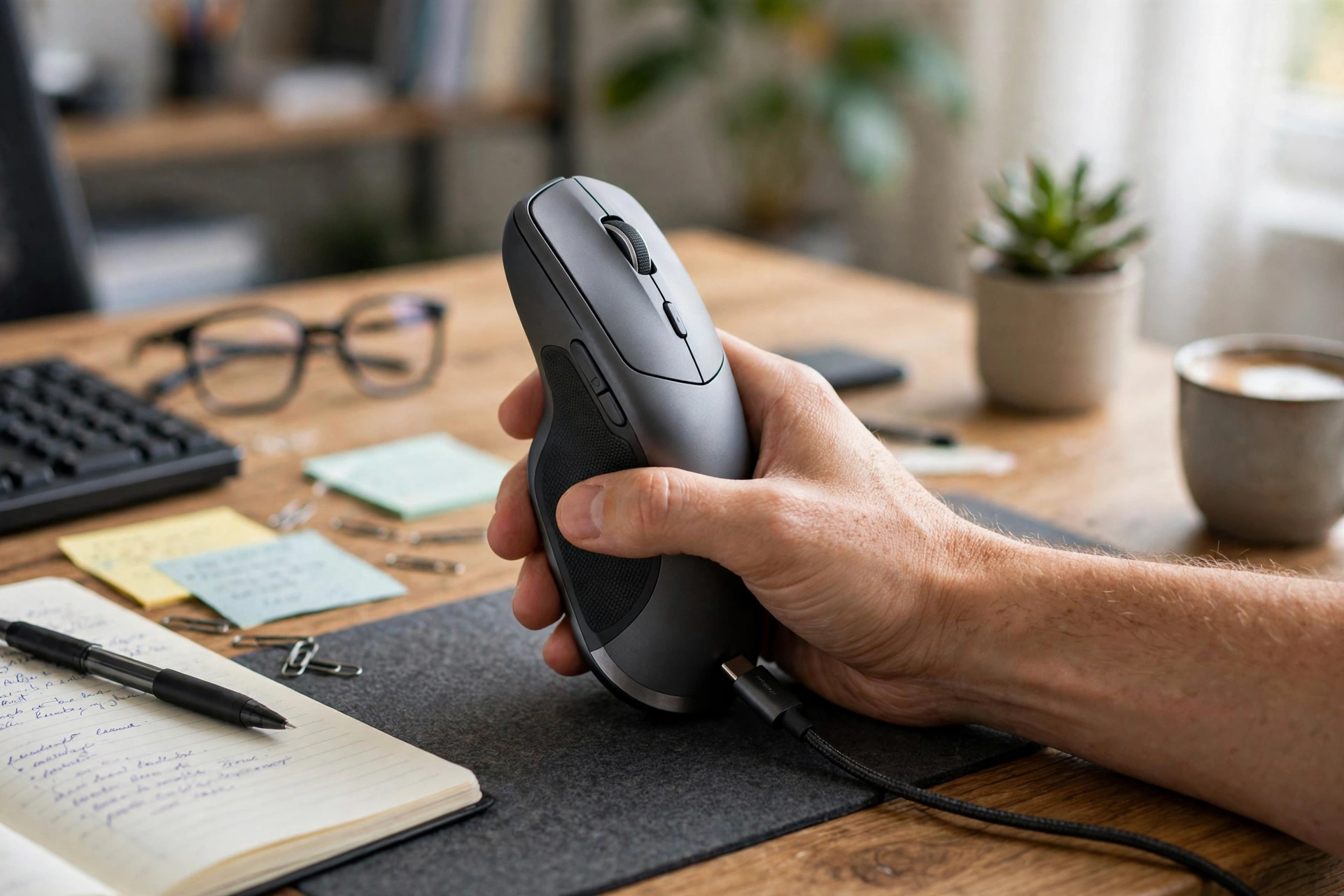
Hold your hand out in front of you, relaxed. It naturally sits on its side, thumb up, like a handshake — not flat, palm down. A traditional mouse asks you to rotate your forearm about 90 degrees from that resting position and hold it there for hours. A vertical mouse keeps the hand much closer to its resting angle. Logitech’s vertical mice use a 57-degree angle, which the company describes as an optimal ergonomic posture that reduces pressure on the wrist, and both of its vertical models are designed and tested with criteria set out by ergonomists.
The practical effect most users report is less forearm fatigue, not instant pain relief. Clicking, scrolling and pointing all work the same way; only the hand posture changes. That is why a vertical mouse pairs well with other simple changes: a chair at the right height, a keyboard that does not force your wrists up, and regular breaks. It is also why a vertical mouse alone is not a cure. Think of it as removing one source of strain from a day full of them.
One honest warning: a vertical mouse feels strange at first. Precise work like selecting text or clicking small buttons may feel slower for the first few days. That is normal, and it is the reason many people give up too early. Budget a full week before you judge it, and keep your old mouse plugged in for the first two days if you have urgent deadline work.
Quick Comparison Table
| Mouse | Approx. India price | Best for | Angle | Sensor | Battery | Connectivity |
|---|---|---|---|---|---|---|
| Logitech MX Vertical | Around Rs. 5,000–7,000 | Medium to large hands | 57 degrees | 4000 DPI high-precision | Rechargeable USB-C, up to 4 months claimed | Bluetooth + USB receiver |
| Logitech Lift | Around Rs. 5,800–7,500 | Small to medium hands | 57 degrees | 400–4000 DPI range (per Logitech spec) | One AA battery, up to 24 months claimed | Bluetooth + Logi Bolt receiver |
Prices are approximate only; prices may change, so check the current price before ordering. Note that Indian street prices for these two models often overlap, so let hand size — not a small price gap — decide between them.
Best for Large Hands: Logitech MX Vertical
The MX Vertical is Logitech’s original flagship vertical mouse, built for medium to large hands — roughly, hands longer than 19 cm from wrist to middle fingertip. It has a tall, sculpted body with a comfortable thumb rest, a dedicated cursor-speed button on top, and a 4000 DPI high-precision sensor that needs far less hand movement than a basic mouse. Its product listing on Amazon India confirms the 57-degree vertical angle, the 4000 DPI sensor, and a battery that stays powered for up to four months on a full charge with about three hours of use from a one-minute quick charge.
The MX Vertical is rechargeable over USB-C, connects to up to three devices, and works with Logitech’s Flow feature for moving between computers. Its size is both its strength and its limitation: large-handed users find it properly supportive, while small-handed users often find it too tall and too wide to grip comfortably. It is also right-handed only. If your hand is large and you want a rechargeable vertical mouse with a premium sensor, this is the one to buy. A detailed head-to-head with the Lift reaches the same conclusion: hand size is the deciding factor, with the MX Vertical winning for hands over 19 cm.
Best for Small and Medium Hands: Logitech Lift
The Lift takes the same 57-degree vertical idea and shrinks it for small to medium hands, and it adds two things the MX Vertical lacks: quiet clicks and a left-handed version in some markets. Its SmartWheel scrolls line by line for careful reading and faster when you flick through long documents, its buttons are customisable through Logi Options+ software, and it connects over Bluetooth or a Logi Bolt USB receiver to up to three devices. Indian coverage of vertical mice names the Lift as the best overall pick, noting its gently textured grip, comfortable thumb rest, quiet clicks and claimed battery life of up to two years.
The Lift runs on a single AA battery rather than a rechargeable cell. For most people that is a feature, not a drawback: a battery that lasts up to two years means you never think about charging, and a spare AA cell costs almost nothing. The trade-off is that the Lift has no wired mode at all — if the battery dies, you swap the cell, you do not plug in a cable. The Lift is also noticeably lighter and easier to move than the MX Vertical, which some users prefer and others find less planted. If your hand measures under 19 cm, or you are left-handed, start with the Lift. Seniors and lighter users weighing comfort over raw features will find a similar comfort-first approach in our ergonomic mouse guide for seniors.

What About Cheaper Vertical Mice?
Search Amazon India for “vertical mouse” and you will find models at Rs. 1,000–2,500 from brands that are far less well known than Logitech. Some of them are genuinely decent for the price, and some are uncomfortable in ways you only discover after a week. Because models, sellers and quality change frequently in this segment, we do not recommend a specific budget model by name here. Instead, use this checklist before buying one: check that it is a true vertical or semi-vertical shape rather than just a tall normal mouse; confirm it connects the way you need (Bluetooth for tablets and thin laptops, receiver for desktops); read recent Indian buyer reviews that mention hand size and long sessions, not just unboxing impressions; and buy from a seller with an easy return policy so you can test it for a week.
A cheaper vertical mouse can be a good experiment. If you try one and love the posture but hate the sensor or the clicks, you have learned something valuable — and upgrading to the Lift or MX Vertical then feels like a confident choice, not a gamble. If you try one and hate the posture itself, you have saved the price of a premium model. Either way, the experiment is worth less than one physiotherapy visit.
How to Choose by Hand Size
Measure your hand before you order. Place a ruler from your wrist crease to the tip of your middle finger. Under about 19 cm, choose the Lift. Over about 19 cm, choose the MX Vertical. Near 19 cm, either can work — pick the Lift if you prefer a lighter mouse and quiet clicks, or the MX Vertical if you prefer a larger, rechargeable body with a dedicated speed button.
Left-handed users should check availability carefully. The Lift has a left-handed version in some markets, but Indian listings do not always stock it; confirm the exact variant on the seller’s page before ordering, and do not assume a right-handed vertical mouse can simply be flipped over. Grip matters too. A vertical mouse uses a palm-and-thumb grip, not a claw grip. If you are a fingertip-grip user who lifts the mouse constantly, a vertical mouse will feel heavier to move, and you may prefer a lighter traditional ergonomic mouse instead. Remote workers who split time between a desk and a laptop bag should also weigh portability: neither vertical mouse is a pocket mouse, so frequent travelers may want a compact second mouse for the road, as covered in our remote worker guide.
The One-Week Adjustment Plan
Day one will feel odd, and that is fine. Start with low-stakes work: email, browsing, reading documents. Keep your pointer speed at the default for the first day rather than changing three settings at once. On day two, try your normal work but keep the old mouse nearby for anything urgent. By day three or four, most people find clicking and scrolling feel natural, and only fine text selection still feels slower. By day seven, judge honestly: is your forearm less tired at 6 pm than it used to be? If yes, keep the vertical mouse and give it another month. If no, or if you have new pain, stop and consider a different shape — or a medical opinion.
Set up matters as much as shape. Keep your elbow at roughly a right angle, your wrist straight rather than bent up or sideways, and the mouse close to your keyboard so your arm is not reaching. A mouse pad with a little cushioning helps if your desk surface is hard, and a chair height that lets your feet rest flat stops you hunching over the mouse. Lawyers, doctors and other professionals who work very long document days face the same setup questions, and our lawyer mouse guide covers desk setup for long reading sessions in more detail.

Frequently Asked Questions
1. What is the best vertical mouse in India overall?
For most buyers, the Logitech Lift is the best vertical mouse in India because it fits small to medium hands, has quiet clicks, and is widely available. Large-handed buyers should choose the Logitech MX Vertical instead, because its bigger body supports a larger hand properly.
2. Do vertical mice really help wrist pain?
They can reduce forearm strain by holding the hand in a more natural handshake position instead of flat, and Logitech’s 57-degree design is tested against ergonomic criteria. They are not a medical treatment, though: persistent pain, numbness or weakness needs a doctor, not just a new mouse.
3. How long does it take to get used to a vertical mouse?
Most people need about a week of real daily work. The first two or three days feel strange, especially for precise clicking and text selection. Judge the mouse after seven days, not after ten minutes.
4. Can I use a vertical mouse for gaming?
Casual gaming works fine on both Logitech vertical mice, but they are not gaming mice: their polling rates and weights are tuned for office work, not fast competitive play. Gamers who want vertical comfort should treat it as a second mouse for work, not a replacement gaming mouse.
5. Is the Lift or the MX Vertical better for left-handed users?
The Lift is the better bet because a left-handed version exists in some markets, while the MX Vertical is right-handed only. Always confirm the exact left-handed variant on the Indian seller’s page before ordering, since stock varies.
6. Are cheap vertical mice on Amazon India worth trying?
They can be a good low-cost experiment if you buy from a seller with easy returns and read recent reviews mentioning hand size and long sessions. If you love the posture but not the quality, upgrading to the Lift or MX Vertical is then a confident choice.
Conclusion
The best vertical mouse in India is decided by your hand, not by the price tag. Small to medium hands should buy the Logitech Lift for its comfortable 57-degree grip, quiet clicks and two-year battery life. Large hands should buy the Logitech MX Vertical for its bigger sculpted body, 4000 DPI sensor and rechargeable USB-C battery. Either way, give the new shape a full week, set your chair and desk height properly, and check the current price before buying — prices may change. If your forearm feels fresher at the end of that week, you have found one of the simplest ergonomic upgrades a desk worker in India can make.
Watch: